

Your graphics add a nice touch to my presentations and I recently used them for one of my all-hands meetings. Your toolbox adds professionalism to my slides. Instead of using standard clipart.
Claude Jones, Director of Engineer, @Walmartlabs, USA

Your graphics add a nice touch to my presentations and I recently used them for one of my all-hands meetings. Your toolbox adds professionalism to my slides. Instead of using standard clipart.
Claude Jones, Director of Engineer, @Walmartlabs, USA
I needed a fresh look at some of my slides. I've tried to find a way to create a paintbrush effect, to underline, accentuate, add some color and the handwritten markers were just the things. Very easy to use, easy to size, change the color. It was an affordable, perfect solution and I'm happy to recommend it.
Anonymous, US
The crisp, clean look of the graphics, and the fact that it allowed me to easily edit and change the colors to match the template was my main reason for purchasing them.
Brandie Jenkins, E-learning Developer, USA
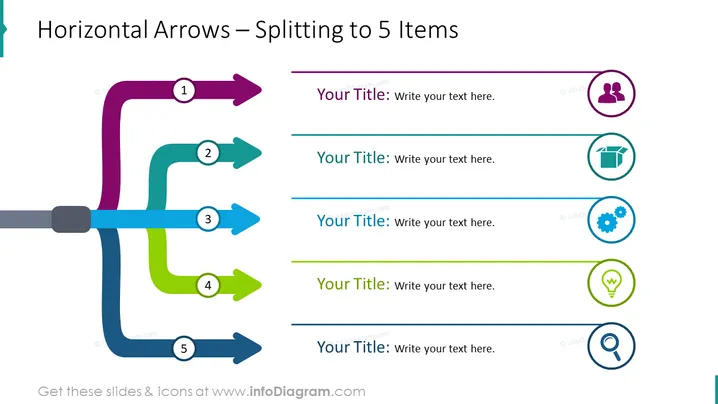
The PowerPoint slide titled "Horizontal Arrows – Splitting to 5 Items" is a graphical representation of a process or a sequence that breaks into five distinct parts. Each arrow starts from a central horizontal line, and each is accompanied by a circle which likely represents a stage or step in the sequence. These circles are sequentially numbered from 1 to 5. There is a placeholder titled "Your Title" next to each number, suggesting that these can be customized with specific information correlating to each step in the sequence.
The slide's aesthetic is clean, colorful, and professional, making it easy to follow. The distinct colors and sequentially numbered stages help to effectively break down and delineate the parts of a process or sequence.



