
Reviews
Your graphics add a nice touch to my presentations and I recently used them for one of my all-hands meetings. Your toolbox adds professionalism to my slides. Instead of using standard clipart.
I needed a fresh look at some of my slides. I've tried to find a way to create a paintbrush effect, to underline, accentuate, add some color and the handwritten markers were just the things. Very easy to use, easy to size, change the color. It was an affordable, perfect solution and I'm happy to recommend it.
The crisp, clean look of the graphics, and the fact that it allowed me to easily edit and change the colors to match the template was my main reason for purchasing them.
Description
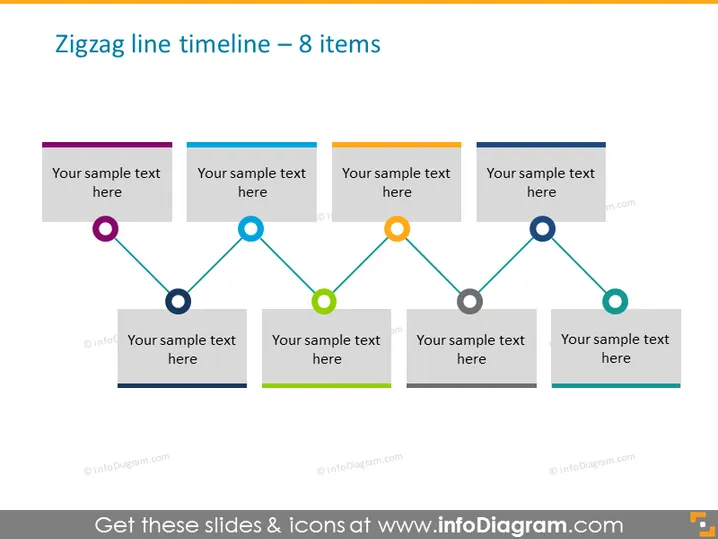
Zigzag line timeline – 8 items
Slide Content
The slide displays a zigzag timeline with 8 positions, each indicating a point in a sequence or a progression of steps. The timeline alternates orientation from top to bottom, which can represent a chronological sequence or a step-by-step process. Each position in the timeline has a corresponding placeholder text box for explanatory text, where users can detail the significance of each step or milestone.
Graphical Look
- A horizontal zigzag line moves across the slide, changing direction at each node point.
- Eight circle nodes, each a different color, are placed along the zigzag line.
- Above and below the line, there are rectangular text boxes, four on top and four below, aligned with the nodes.
- The rectangular text boxes are muted shades of color that complement the nodes they are connected to.
- Each text box includes a placeholder text labeled "Your sample text here."
The slide uses a clean and modern design with a neutral background. The combination of colors and shapes provides a visually structured way to present information.
Use Cases
- To demonstrate a project's timeline, illustrating key milestones and phases.
- To represent chronological developments in a company, such as product launches or company achievements.
- For educational purposes, to illustrate the sequence of events in a historical or scientific timeline.
- In marketing presentations, to show the rollout plan for a campaign or brand strategy over time.
How to Edit
How to edit text & colors

How to expand / shorten diagram

How to Replace Icons in infoDiagram PPT


