
Reviews
Ihre Grafiken verleihen meinen Präsentationen eine nette Note, und ich habe sie kürzlich für eines meiner All-Hands-Meetings verwendet. Ihre Toolbox verleiht meinen Folien Professionalität, anstatt Standard-Clipart zu verwenden.
Ich brauchte einen neuen Blick auf einige meiner Folien. Ich habe versucht, einen Weg zu finden, einen Pinselschlag-Effekt zu erzielen, um zu unterstreichen, hervorzuheben, Farbe hinzuzufügen, und die handgeschriebenen Markierungen waren genau das Richtige. Sehr einfach zu bedienen, leicht in der Größe zu ändern, die Farbe zu ändern. Es war eine erschwingliche, perfekte Lösung und ich empfehle sie gerne weiter.
Die klare, saubere Optik der Grafiken und die Tatsache, dass ich die Farben leicht bearbeiten und an die Vorlage anpassen konnte, war mein Hauptgrund für den Kauf.
Description
Examination, Treatment & Operations
Slide Content
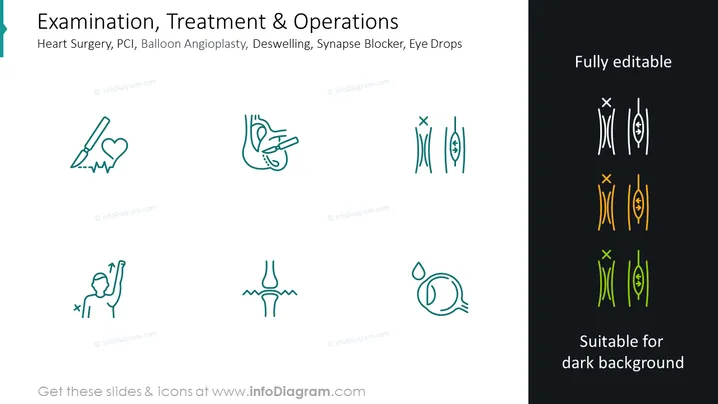
The PowerPoint slide is titled "Examination, Treatment & Operations" and covers six medical procedures and interventions: Heart Surgery, PCI (Percutaneous Coronary Intervention, a non-surgical procedure used to treat the stenotic coronary arteries of the heart), Balloon Angioplasty (a minimally invasive, endovascular procedure to widen obstructed or narrowed arteries or veins), Deswelling (likely referring to the reduction of swelling), Synapse Blocker (drugs or substances that impair the function of synapses), and Eye Drops (a saline solution used to treat eye conditions).
Graphical Look
- A large, teal header banner on the left with white text for the main title.
- Smaller subheader text below the main title, detailing the types of procedures, in white.
- Six icons arranged in two rows and three columns, each representing a different medical procedure or treatment:
- Top row: a scalpel and heart rate line, hands performing a procedure on a heart, and a neuron with a "no" symbol.
- Bottom row: a person with an arm elevation suggesting deswelling, knee joints with arrows pointing outward indicating opening or movement, and a stylized eye with a drop above it.
- All icons are light blue with a simplistic design, except for a group on the right which are duplicates presented in white and yellow colors.
- The text "Fully editable" on the upper-right side, with "Suitable for dark background" below it, referring to the additional set of icons.
The slide features a clean, minimalist design emphasizing the medical theme through stylized icons. The layout is symmetric and balanced, providing a clear visual representation of each concept.
Use Cases
- Presenting an overview of medical services offered by a clinic or hospital.
- Describing different stages of patient care in medical and healthcare conferences.
- Illustrating a training module for medical professionals on various treatment procedures.
- Incorporating into educational materials for students in medicine or nursing to understand various medical interventions.
How to Edit
How to edit text & colors

How to expand / shorten diagram

How to Replace Icons in infoDiagram PPT


