
Reviews
Your graphics add a nice touch to my presentations and I recently used them for one of my all-hands meetings. Your toolbox adds professionalism to my slides. Instead of using standard clipart.
I needed a fresh look at some of my slides. I've tried to find a way to create a paintbrush effect, to underline, accentuate, add some color and the handwritten markers were just the things. Very easy to use, easy to size, change the color. It was an affordable, perfect solution and I'm happy to recommend it.
The crisp, clean look of the graphics, and the fact that it allowed me to easily edit and change the colors to match the template was my main reason for purchasing them.
Description
Body Parts – Head Elements, Senses
Slide Content
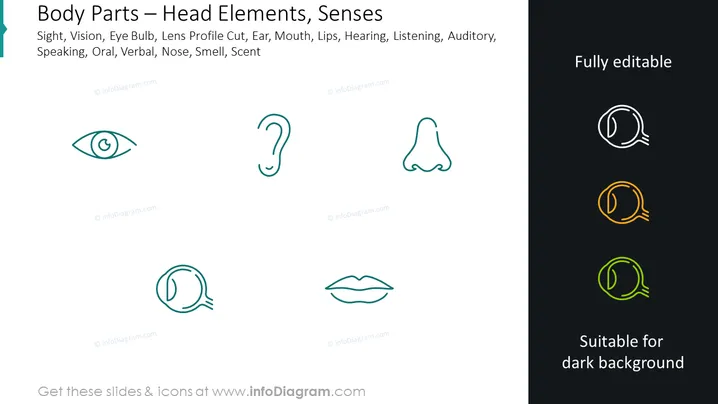
The PowerPoint slide titled "Body Parts – Head Elements, Senses" explores the sensory components associated with the human head. It lists sight, vision, eye bulb, lens profile cut, ear, mouth, lips, hearing, listening, auditory, speaking, oral, verbal, nose, smell, and scent, suggesting a focus on various sensory organs and their functions. Each term relates to a different sense or aspect of sensory experience. For example, "eye bulb" and "lens profile cut" refer to parts of the eye related to sight, while "oral" and "verbal" pertain to communication through speech.
Graphical Look
- The slide background is split diagonally with a light left side and a dark right side.
- On the left side, there are five icons, each representing a different sensory organ or function: an eye, an ear, a nose, a mouth, and a speech bubble.
- These icons are depicted in a simple, minimalist line art style with a light teal color.
- The icons are aligned horizontally with their corresponding text labels directly below each.
- On the right side, the same speech bubble icon repeats three times but in white, yellow, and lime, indicating different color options for visibility on darker backgrounds.
- Each side of the slide contains text. The left side has the slide title and a list of sensory-related terms, while the right side highlights the slide's editable nature and suitability for dark backgrounds.
- The font used for the text is sans-serif, which contributes to the clean and modern look of the slide.
The slide has a clean and contemporary design, focusing on visual simplicity and contrast. The use of light and dark areas effectively indicates the versatility of the icons for different presentation backgrounds.
Use Cases
- To introduce a discussion about the human sensory system in a biology or health education presentation.
- As part of a training for healthcare professionals, focusing on the diagnosis and treatment of sensory-related conditions.
- In a marketing presentation to explain the sensory appeal of a product through sight, sound, smell, and touch.
- During a corporate wellness workshop, highlighting the importance of sensory health and ergonomics in the workplace.
How to Edit
How to edit text & colors

How to expand / shorten diagram

How to Replace Icons in infoDiagram PPT


