
Reviews
Sus gráficos añaden un toque agradable a mis presentaciones y recientemente los usé para una de mis reuniones generales. Su conjunto de herramientas añade profesionalismo a mis diapositivas. En lugar de usar imágenes prediseñadas estándar.
Necesitaba un aspecto fresco para algunas de mis diapositivas. Había intentado encontrar una forma de crear un efecto de pincel, de subrayar, acentuar, añadir algo de color y los marcadores escritos a mano fueron justo lo que necesitaba. Muy fácil de usar, fácil de ajustar el tamaño, cambiar el color. Fue una solución asequible y perfecta, y estoy feliz de recomendarla.
El aspecto nítido y limpio de los gráficos, y el hecho de que me permitiera editar y cambiar fácilmente los colores para que coincidieran con la plantilla fue mi principal razón para comprarlos.
Description
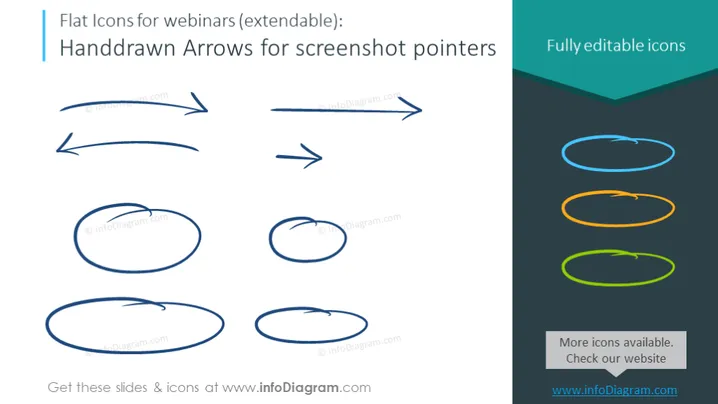
Handdrawn Arrows for screenshot pointers
Slide Content
The slide displays a collection of hand-drawn arrow icons designed for use in webinars and screenshots. These arrows are intended to function as attention-directing pointers. The slide titles each set as "Flat Icons for webinars (extendable)" and "Fully editable icons." There are two sets of arrows: the first set presents arrows and ovals in blue, while the second set shows similar shapes in more vibrant colors – teal, orange, and green, indicating that these shapes are easily customizable.
Graphical Look
- The slide background is a plain white color.
- On the left-hand side, there are four arrow graphics and three oval graphics, all in a hand-drawn style and colored blue.
- On the right-hand side, there are duplicate graphics but with gradient-filled colors in a darker shade at the top, which then fade to lighter shades at the bottom of each figure.
- The colors of the gradient-filled arrows and ovals transition from a darker to a lighter shade: teal to light teal, orange to yellow, and green to lime green.
- There is a dark turquoise banner on the right side with the text "Fully editable icons" in white font.
- On the bottom right, there's a text box with the words "More icons available. Check our website" and a URL in a light blue font.
The overall look of the slide is minimalistic, with a clear distinction between the standard blue icons and the customizable gradient icons. The varied arrow shapes and sizes provide visual interest while maintaining a coherent design style.
Use Cases
- Use in webinar presentations to point out specific information or to highlight areas of interest in on-screen demonstrations.
- Integrate into tutorial videos or instructional content to direct viewer's attention to particular elements of the interface or to indicate a sequence of actions.
- Employ in digital marketing material to draw attention to special offers or important features of a product.
- Incorporate into user presentations or e-learning modules to guide the user through step-by-step processes or data flow diagrams.
How to Edit
How to edit text & colors

How to expand / shorten diagram

How to Replace Icons in infoDiagram PPT


