
Reviews
Your graphics add a nice touch to my presentations and I recently used them for one of my all-hands meetings. Your toolbox adds professionalism to my slides. Instead of using standard clipart.
I needed a fresh look at some of my slides. I've tried to find a way to create a paintbrush effect, to underline, accentuate, add some color and the handwritten markers were just the things. Very easy to use, easy to size, change the color. It was an affordable, perfect solution and I'm happy to recommend it.
The crisp, clean look of the graphics, and the fact that it allowed me to easily edit and change the colors to match the template was my main reason for purchasing them.
Description
HOW WE WORK
Slide Content
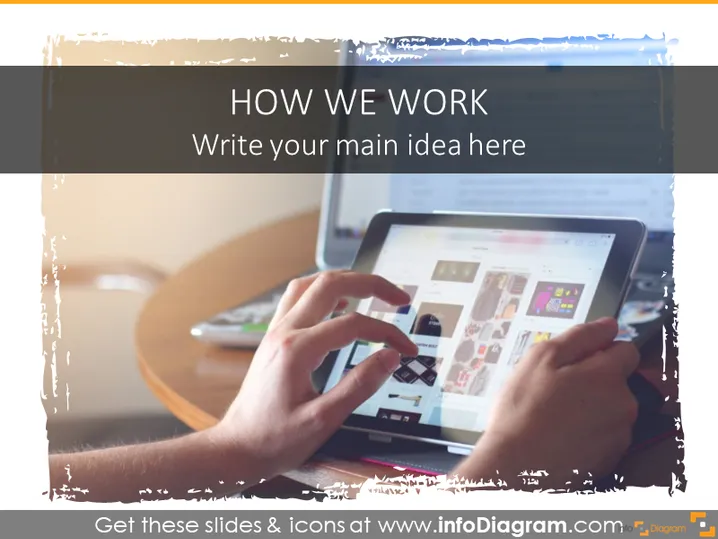
The PowerPoint slide titled "HOW WE WORK" invites the presenter to "Write your main idea here." It is intended as an introductory slide where the presenter can outline their operational approach, work methodology, or business processes. The premise of the slide is to convey organizational methods to the audience in a succinct and clear manner, potentially offering a high-level overview that will be expanded upon in subsequent slides.
Graphical Look
- The slide background features a large, semi-transparent white text box with rough, brush-style edges.
- The title "HOW WE WORK" is prominently displayed at the top of the text box in large, bold, blue font.
- Below the title, there is a subtitle placeholder text "Write your main idea here" in a smaller, italicized font.
- The background image depicts a person's hands interacting with a tablet, showcasing a digital work environment.
- The color palette consists primarily of blues and neutrals, giving the slide a professional and modern look.
- The slide edges are clean, and there is a minimalistic use of decorative elements.
The overall look of the slide is modern and professional, with a focus on digital interaction that is suggested by the image of hands using a tablet. The use of blue and neutral tones adds to the corporate feel, making it suitable for a variety of professional settings.
Use Cases
- To introduce the topic of work processes or digital tools during a corporate or team meeting.
- As an opening slide for a workshop or seminar on organizational efficiency and digital transformation.
- For presenting a company's approach to project management or client engagement in a business pitch or proposal.
- In a training session, to provide a starting point for discussing best practices in team collaboration and technology use.
How to Edit
How to edit text & colors

How to expand / shorten diagram

How to Replace Icons in infoDiagram PPT


