
Reviews
Ihre Grafiken verleihen meinen Präsentationen eine nette Note, und ich habe sie kürzlich für eines meiner All-Hands-Meetings verwendet. Ihre Toolbox verleiht meinen Folien Professionalität, anstatt Standard-Clipart zu verwenden.
Ich brauchte einen neuen Blick auf einige meiner Folien. Ich habe versucht, einen Weg zu finden, einen Pinselschlag-Effekt zu erzielen, um zu unterstreichen, hervorzuheben, Farbe hinzuzufügen, und die handgeschriebenen Markierungen waren genau das Richtige. Sehr einfach zu bedienen, leicht in der Größe zu ändern, die Farbe zu ändern. Es war eine erschwingliche, perfekte Lösung und ich empfehle sie gerne weiter.
Die klare, saubere Optik der Grafiken und die Tatsache, dass ich die Farben leicht bearbeiten und an die Vorlage anpassen konnte, war mein Hauptgrund für den Kauf.
Description
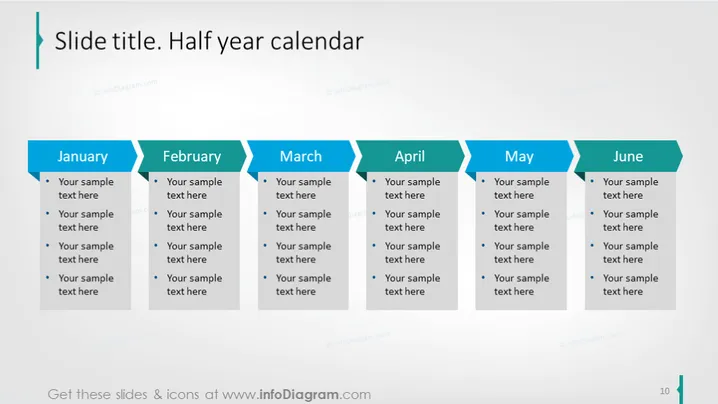
Slide Title. Half year calendar
Slide Content
The slide displays a half-year calendar divided into six sections, one for each month from January to June. Each month features a list of bullet points where specific information can be added. These bullet points are placeholders for dates, events, or tasks that correspond to the respective month, and they can be customized to suit various planning and scheduling needs.
Graphical Look
- The background of the slide is white.
- The title of the slide "Slide title. Half year calendar" is displayed at the top in a large, dark font, with the words "Half year calendar" in a lighter blue for emphasis.
- Six horizontal, rectangular banner shapes are evenly spaced across the slide with alternating shades of blue, each representing a month from January to June.
- Inside each banner, the name of the month is displayed in white text on the left side.
- To the right of each month's name, there are four bullet points with placeholder text "Your sample text here," indicating where custom content can be inserted.
- Each section is separated by a white space, adding clarity and distinction between the months.
The slide has a clean and straightforward design, with a color scheme that is professional and easy to read. The alternating blue shades create a visually appealing rhythm across the slide, while the bullet points provide a structured format for presenting information.
Use Cases
- To outline key milestones and deliverables for a project over the upcoming six months.
- For educators to showcase a semester's syllabus, important dates, and deadlines to students.
- In corporate settings, to present sales targets, marketing campaigns, or other events planned for each month of the half year.
- At annual general meetings, to reflect on achievements and set out a timeline for future business strategies or goals.
How to Edit
How to edit text & colors

How to expand / shorten diagram

How to Replace Icons in infoDiagram PPT


