
Reviews
Ihre Grafiken verleihen meinen Präsentationen eine nette Note, und ich habe sie kürzlich für eines meiner All-Hands-Meetings verwendet. Ihre Toolbox verleiht meinen Folien Professionalität, anstatt Standard-Clipart zu verwenden.
Ich brauchte einen neuen Blick auf einige meiner Folien. Ich habe versucht, einen Weg zu finden, einen Pinselschlag-Effekt zu erzielen, um zu unterstreichen, hervorzuheben, Farbe hinzuzufügen, und die handgeschriebenen Markierungen waren genau das Richtige. Sehr einfach zu bedienen, leicht in der Größe zu ändern, die Farbe zu ändern. Es war eine erschwingliche, perfekte Lösung und ich empfehle sie gerne weiter.
Die klare, saubere Optik der Grafiken und die Tatsache, dass ich die Farben leicht bearbeiten und an die Vorlage anpassen konnte, war mein Hauptgrund für den Kauf.
Description
Growth Icons
Slide Content
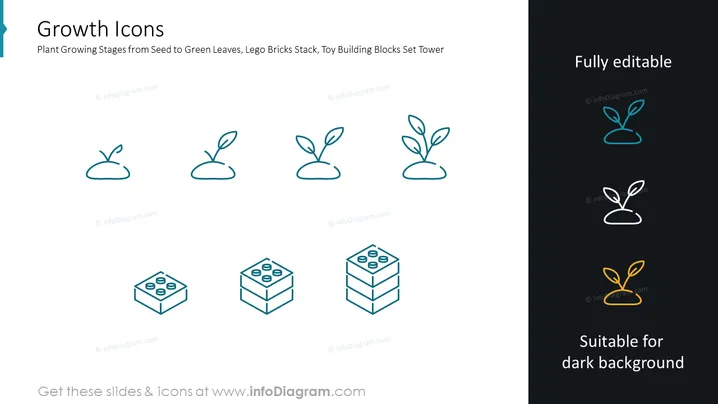
The PowerPoint slide is titled "Growth Icons" and illustrates the concept of growth through a series of images. These images represent the stage-by-stage progression of a plant growing from a seed to sprouting leaves. Additionally, there are images of Lego bricks stacked in increasing height, symbolizing building or construction, which metaphorically aligns with the concept of development or progress in various contexts such as business growth, skill development, or project completion.
Graphical Look
- The slide has a clean and minimalistic design with a plain white background.
- At the top, the title 'Growth Icons' is presented in bold, dark text.
- Below the title, a subtitle provides context: "Plant Growing Stages from Seed to Green Leaves, Lego Bricks Stack, Toy Building Blocks Set Tower."
- Eight icons are arranged in two rows, with four icons per row.
- The first row of icons depict four stages of a plant's growth, from seed to sprouting leaves, with each icon becoming progressively more detailed.
- The second row contains three variations of Lego bricks, each icon representing bricks with more layers, thus taller stacks.
- The last icon on the second row showcases an even more substantial growth as the stack turns into a tower.
- On the very right, there are two additional icons with text "Fully editable" and "Suitable for dark background," indicating that these icons are customizable and adaptable to different slide backgrounds.
- Each icon uses a subtle shade of blue, with the editability icons using a brighter shade and the final icon highlighting the adaptability to dark backgrounds with a white and gold color scheme.
The overall look is professional, modern, and suitable for corporate presentations with its emphasis on clarity and simplicity. The use of icons to represent growth stages makes the concept easily digestible and visually appealing.
Use Cases
- Illustrating the phases of project development in business presentations, from the initial idea to the final product.
-
- Discussing company growth and expansion strategies in a board meeting or to potential investors.
- Visualizing personal development or skill progression during performance reviews or training sessions.
- Enhancing educational materials about natural sciences or conceptual growth to aid visual learning.
How to Edit
How to edit text & colors

How to expand / shorten diagram

How to Replace Icons in infoDiagram PPT


