
Reviews
Your graphics add a nice touch to my presentations and I recently used them for one of my all-hands meetings. Your toolbox adds professionalism to my slides. Instead of using standard clipart.
I needed a fresh look at some of my slides. I've tried to find a way to create a paintbrush effect, to underline, accentuate, add some color and the handwritten markers were just the things. Very easy to use, easy to size, change the color. It was an affordable, perfect solution and I'm happy to recommend it.
The crisp, clean look of the graphics, and the fact that it allowed me to easily edit and change the colors to match the template was my main reason for purchasing them.
Description
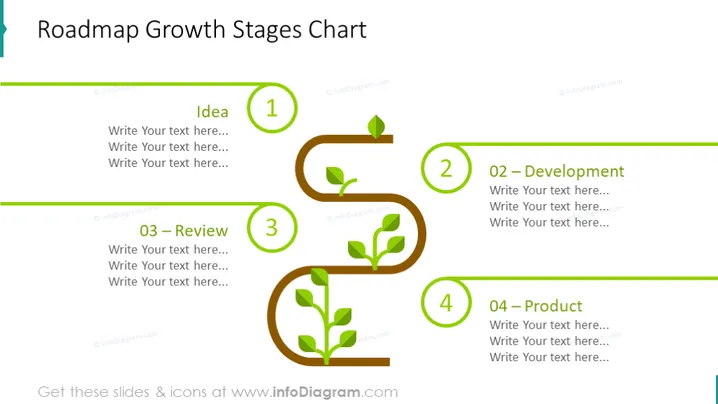
Roadmap Growth Stages Chart
Slide Content:
The slide illustrates a four-stage growth roadmap, depicting the development process of an idea into a tangible product. The first stage, "Idea," signifies the conceptualization phase. "02 – Development" represents the phase where the idea is turned into a workable plan or prototype. "03 – Review" is the critical assessment stage, where the plan or prototype is tested and refined. The final stage, "04 – Product," symbolizes the completion and launch of the final product into the market.
Graphical Look:
- A brown curvy pathway that represents the roadmap, connecting four stages with green circular nodes.
- Each node has a green leaf icon and a number from 1 to 4, symbolizing the growth and sequential order of the stages.
- Next to each node, there is a green text box for adding descriptions, with the stage name in bold.
- The nodes are sequentially connected by the curvy path, which gives a sense of progression.
The design is clean, with a natural color palette that enhances the growth theme of the roadmap. The curvy path adds a dynamic feel, guiding the viewer's eye through the stages of development.
Use Cases:
- In a strategic business presentation to illustrate the phases of product development.
- During a project kickoff meeting to define the project lifecycle stages.
- In an educational setting to explain the process of bringing an idea to market.
- As a progress tracker in project status updates to stakeholders.
How to Edit
How to edit text & colors

How to expand / shorten diagram

How to Replace Icons in infoDiagram PPT


