

Your graphics add a nice touch to my presentations and I recently used them for one of my all-hands meetings. Your toolbox adds professionalism to my slides. Instead of using standard clipart.
Claude Jones, Director of Engineer, @Walmartlabs, USA

Your graphics add a nice touch to my presentations and I recently used them for one of my all-hands meetings. Your toolbox adds professionalism to my slides. Instead of using standard clipart.
Claude Jones, Director of Engineer, @Walmartlabs, USA
I needed a fresh look at some of my slides. I've tried to find a way to create a paintbrush effect, to underline, accentuate, add some color and the handwritten markers were just the things. Very easy to use, easy to size, change the color. It was an affordable, perfect solution and I'm happy to recommend it.
Anonymous, US
The crisp, clean look of the graphics, and the fact that it allowed me to easily edit and change the colors to match the template was my main reason for purchasing them.
Brandie Jenkins, E-learning Developer, USA
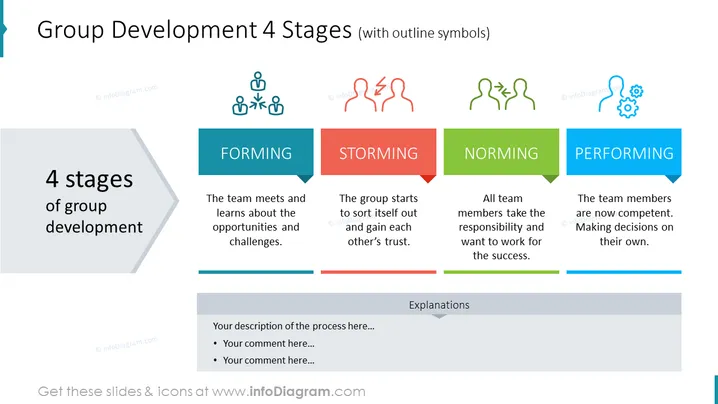
The slide presents the four stages of group development, each paired with a descriptive text and an associated outline symbol. "Forming" is the initial phase where the team meets and discovers opportunities and challenges. "Storming" involves sorting out conflicts and building trust among members. "Norming" sees team members accepting responsibilities and working towards success. "Performing" is the final stage where team members are competent and can make decisions independently. An area for custom descriptions and comments is provided at the bottom of the slide.
The slide is vibrant and uses color coding to distinguish the different stages prominently. Symbols represent the essence of each stage visually, supporting quick comprehension of the slide's message.



