

Your graphics add a nice touch to my presentations and I recently used them for one of my all-hands meetings. Your toolbox adds professionalism to my slides. Instead of using standard clipart.
Claude Jones, Director of Engineer, @Walmartlabs, USA

Your graphics add a nice touch to my presentations and I recently used them for one of my all-hands meetings. Your toolbox adds professionalism to my slides. Instead of using standard clipart.
Claude Jones, Director of Engineer, @Walmartlabs, USA
I needed a fresh look at some of my slides. I've tried to find a way to create a paintbrush effect, to underline, accentuate, add some color and the handwritten markers were just the things. Very easy to use, easy to size, change the color. It was an affordable, perfect solution and I'm happy to recommend it.
Anonymous, US
The crisp, clean look of the graphics, and the fact that it allowed me to easily edit and change the colors to match the template was my main reason for purchasing them.
Brandie Jenkins, E-learning Developer, USA
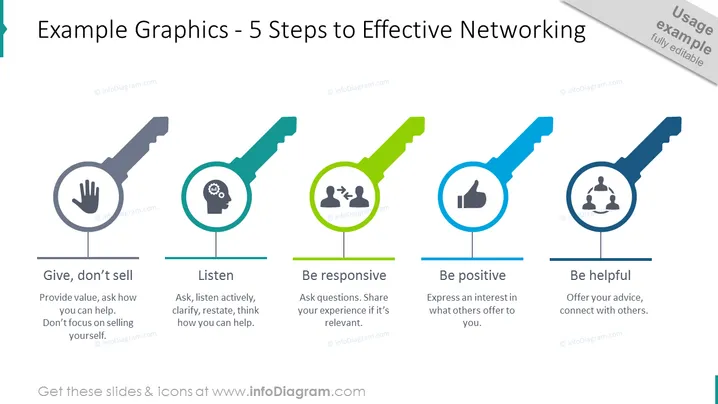
The slide presents "5 Steps to Effective Networking" offering practical advice on how to network efficiently. Each step is briefly explained: "Give, don’t sell" suggests providing value and assistance rather than focusing solely on self-promotion. "Listen" emphasizes the importance of active listening and thinking about how to assist others. "Be responsive" is about engaging in conversations by asking questions and sharing relevant experiences. "Be positive" encourages expressing interest in what others offer. Lastly, "Be helpful" focuses on giving advice and facilitating connections between people.
The overall look of the slide is clean and modern with a clear and easy-to-understand graphical representation of each networking step. The use of bold colors and simple icons makes the information quickly digestible and visually engaging for the audience.



