
Reviews
Your graphics add a nice touch to my presentations and I recently used them for one of my all-hands meetings. Your toolbox adds professionalism to my slides. Instead of using standard clipart.
I needed a fresh look at some of my slides. I've tried to find a way to create a paintbrush effect, to underline, accentuate, add some color and the handwritten markers were just the things. Very easy to use, easy to size, change the color. It was an affordable, perfect solution and I'm happy to recommend it.
The crisp, clean look of the graphics, and the fact that it allowed me to easily edit and change the colors to match the template was my main reason for purchasing them.
Description
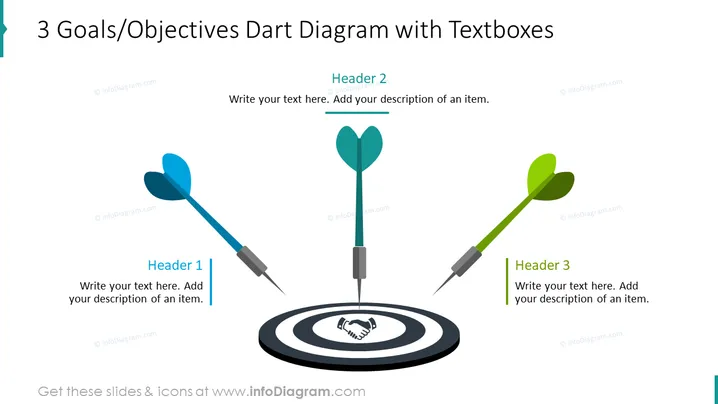
3 Goals/Objectives Dart Diagram with Textboxes
Slide Content
The PowerPoint slide is titled "3 Goals/Objectives Dart Diagram with Textboxes," indicating a visual representation of three goals or objectives. The slide seems to have three separate text boxes labeled "Header 1," "Header 2," and "Header 3," each with space for additional description. This setup suggests each dart symbolizes a specific goal or objective. Presenters are able to elaborate on these points, likely using the text boxes to describe strategies, target achievements, or key performance indicators.
Graphical Look
- A large dartboard is centered at the bottom of the slide, featuring a bullseye with a handshake icon, symbolizing successful targets or agreements.
- Three darts, each with a different color (blue, teal, and green), are directed towards the center of the dartboard. These likely represent the goals or objectives.
- To the left, a blue dart is angled slightly upwards, and to the right, a green dart is angled similarly, while the central teal dart points directly at the bullseye, possibly connoting priority or success.
- Each dart has an accompanying text box with contrasting color headers for additional context or information.
- The text boxes have placeholder text to guide the user in describing the corresponding goal or objective associated with each dart.
The overall design is clean and modern, utilizing a simple color scheme and recognizable icons to create a visually appealing representation of goals or objectives. The slide uses graphics and text effectively to create a metaphor of achieving targets.
Use Cases
- Outlining key goals in strategic business plans or proposals.
- Presenting milestones or targets in project management meetings.
- Visualizing sales objectives in marketing or sales strategy presentations.
- Highlighting progress towards sustainability or corporate social responsibility goals in company performance reports.
How to Edit
How to edit text & colors

How to expand / shorten diagram

How to Replace Icons in infoDiagram PPT


