
Reviews
Your graphics add a nice touch to my presentations and I recently used them for one of my all-hands meetings. Your toolbox adds professionalism to my slides. Instead of using standard clipart.
I needed a fresh look at some of my slides. I've tried to find a way to create a paintbrush effect, to underline, accentuate, add some color and the handwritten markers were just the things. Very easy to use, easy to size, change the color. It was an affordable, perfect solution and I'm happy to recommend it.
The crisp, clean look of the graphics, and the fact that it allowed me to easily edit and change the colors to match the template was my main reason for purchasing them.
Description
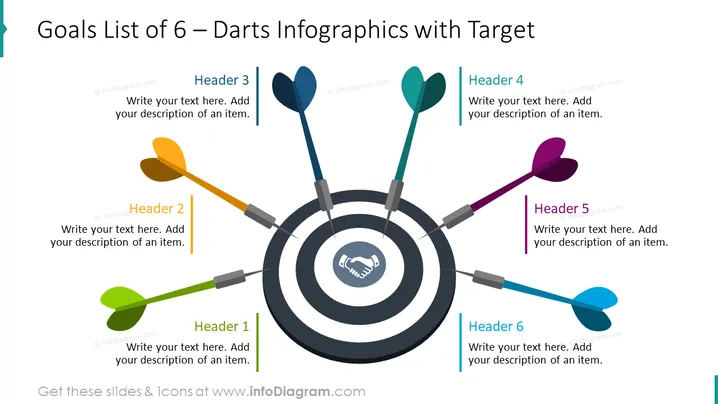
Goals List of 6 – Darts Infographics with Target
Slide Content
The PowerPoint slide, titled "Goals List of 6 – Darts Infographics with Target," uses dart and target graphics to represent goals or milestones. Each of the six sections of the target corresponds to a different goal, indicated by a dart with a distinctive color. Header 1 through Header 6 serve as the points of entry for descriptions of each goal, technique, or idea, guiding the audience through a strategic approach or plan with clear visual representation.
Graphical Look
- The central image is a dartboard with six darts pointing towards it, symbolizing precision, goals, or target achievement.
- Each dart has a different color (green, yellow, blue, cyan, purple, red), adding a visual differentiation for the represented items.
- The dartboard features concentric circles with a handshake icon in the bullseye, conveying collaboration or agreement as the central goal.
- To the right of each dart, there is a colored line that matches the dart's color, followed by a text box with a "Header" label and placeholder text for descriptions.
- The background of the slide is white, emphasizing the vivid colors of the darts and target.
- The overall design layout is balanced, with text boxes evenly distributed around the target.
The slide is vibrant and eye-catching with its contrasting colors and central metaphor of a dartboard. The strategic placement of text boxes provides a harmonious and engaging visual experience.
Use Cases
- To present strategic business objectives in a visually engaging manner.
- As an agenda slide to outline the main points of a presentation or meeting.
- For project milestone updates where each dart represents a specific deliverable or phase of the project.
- In workshops or training sessions to define and prioritize key topics or action items.
How to Edit
How to edit text & colors

How to expand / shorten diagram

How to Replace Icons in infoDiagram PPT


