
Reviews
Sus gráficos añaden un toque agradable a mis presentaciones y recientemente los usé para una de mis reuniones generales. Su conjunto de herramientas añade profesionalismo a mis diapositivas. En lugar de usar imágenes prediseñadas estándar.
Necesitaba un aspecto fresco para algunas de mis diapositivas. Había intentado encontrar una forma de crear un efecto de pincel, de subrayar, acentuar, añadir algo de color y los marcadores escritos a mano fueron justo lo que necesitaba. Muy fácil de usar, fácil de ajustar el tamaño, cambiar el color. Fue una solución asequible y perfecta, y estoy feliz de recomendarla.
El aspecto nítido y limpio de los gráficos, y el hecho de que me permitiera editar y cambiar fácilmente los colores para que coincidieran con la plantilla fue mi principal razón para comprarlos.
Description
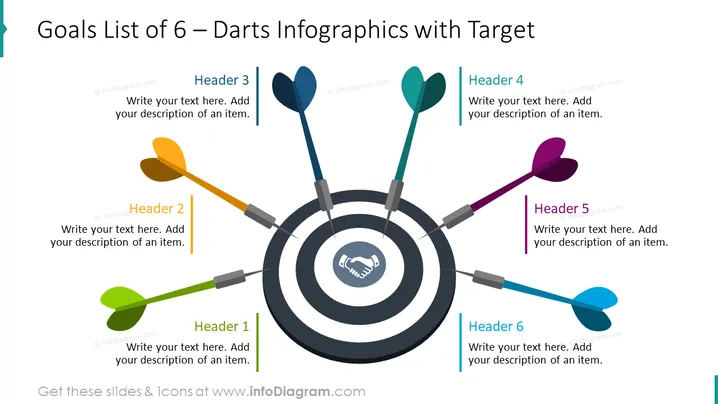
Goals List of 6 – Darts Infographics with Target
Slide Content
The PowerPoint slide, titled "Goals List of 6 – Darts Infographics with Target," uses dart and target graphics to represent goals or milestones. Each of the six sections of the target corresponds to a different goal, indicated by a dart with a distinctive color. Header 1 through Header 6 serve as the points of entry for descriptions of each goal, technique, or idea, guiding the audience through a strategic approach or plan with clear visual representation.
Graphical Look
- The central image is a dartboard with six darts pointing towards it, symbolizing precision, goals, or target achievement.
- Each dart has a different color (green, yellow, blue, cyan, purple, red), adding a visual differentiation for the represented items.
- The dartboard features concentric circles with a handshake icon in the bullseye, conveying collaboration or agreement as the central goal.
- To the right of each dart, there is a colored line that matches the dart's color, followed by a text box with a "Header" label and placeholder text for descriptions.
- The background of the slide is white, emphasizing the vivid colors of the darts and target.
- The overall design layout is balanced, with text boxes evenly distributed around the target.
The slide is vibrant and eye-catching with its contrasting colors and central metaphor of a dartboard. The strategic placement of text boxes provides a harmonious and engaging visual experience.
Use Cases
- To present strategic business objectives in a visually engaging manner.
- As an agenda slide to outline the main points of a presentation or meeting.
- For project milestone updates where each dart represents a specific deliverable or phase of the project.
- In workshops or training sessions to define and prioritize key topics or action items.
How to Edit
How to edit text & colors

How to expand / shorten diagram

How to Replace Icons in infoDiagram PPT


