
Reviews
Your graphics add a nice touch to my presentations and I recently used them for one of my all-hands meetings. Your toolbox adds professionalism to my slides. Instead of using standard clipart.
I needed a fresh look at some of my slides. I've tried to find a way to create a paintbrush effect, to underline, accentuate, add some color and the handwritten markers were just the things. Very easy to use, easy to size, change the color. It was an affordable, perfect solution and I'm happy to recommend it.
The crisp, clean look of the graphics, and the fact that it allowed me to easily edit and change the colors to match the template was my main reason for purchasing them.
Description
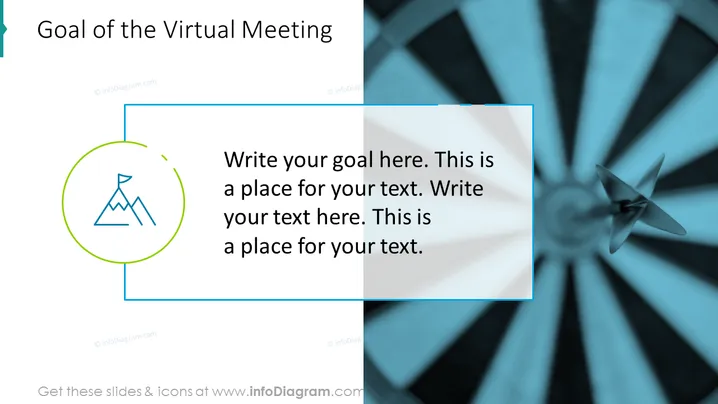
Goal of the Virtual Meeting Slide Template
Slide Content:
- Write your goal here. (The specific purpose of the meeting, such as to brainstorm ideas, make a decision, or solve a problem.)
- A place for your text. (Additional information about the goal, such as what needs to be accomplished by the end of the meeting or what specific outcomes are desired.)
Graphical Look:
- Shapes: A single rectangle with rounded corners, containing the title text and a text box for the goal.
- Colors: A light blue background with white text.
Overall Visual Composition:
The slide is simple and straightforward, with a focus on the goal of the meeting. The title text is large and prominent, and the text box for the goal is large enough to accommodate a significant amount of text. The light blue background and white text create a clean and professional look.
Use Cases
This slide can be used in any virtual meeting where it is important to clearly communicate the goal of the meeting to all attendees. This could include:
- Team meetings: To help team members stay focused and aligned on the purpose of the meeting.
- Client meetings: To ensure that everyone is on the same page and that the meeting is productive.
- Project status meetings: To keep stakeholders informed of the project's progress and to identify any potential roadblocks.
- Brainstorming sessions: To help participants focus their ideas and to generate creative solutions.
- Training sessions: To provide learners with a clear understanding of the learning objectives and to help them stay on track.
- Any other meeting where participants need to be aligned on the purpose of the meeting: This could include sales meetings, marketing meetings, or even one-on-one meetings with your manager or direct reports.
How to Edit
How to edit text & colors

How to expand / shorten diagram

How to Replace Icons in infoDiagram PPT


