
Reviews
Sus gráficos añaden un toque agradable a mis presentaciones y recientemente los usé para una de mis reuniones generales. Su conjunto de herramientas añade profesionalismo a mis diapositivas. En lugar de usar imágenes prediseñadas estándar.
Necesitaba un aspecto fresco para algunas de mis diapositivas. Había intentado encontrar una forma de crear un efecto de pincel, de subrayar, acentuar, añadir algo de color y los marcadores escritos a mano fueron justo lo que necesitaba. Muy fácil de usar, fácil de ajustar el tamaño, cambiar el color. Fue una solución asequible y perfecta, y estoy feliz de recomendarla.
El aspecto nítido y limpio de los gráficos, y el hecho de que me permitiera editar y cambiar fácilmente los colores para que coincidieran con la plantilla fue mi principal razón para comprarlos.
Description
Go To Market Outline Icons Set — Distribution
Slide Content
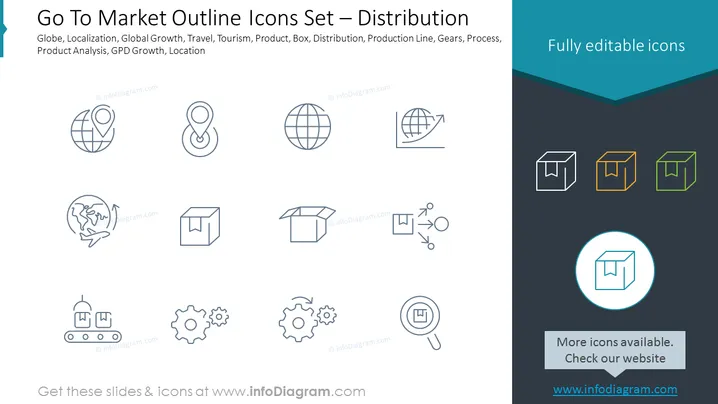
The PowerPoint slide is titled "Go To Market Outline Icons Set — Distribution" and features a collection of icons related to business distribution strategies. These icons include a globe for globalization, a pin for localization, a box for product packaging or shipping, arrows circling the globe implying global travel or tourism, a production line for manufacturing processes, interlocking gears for operational processes, and a magnifying glass over a chart representing product analysis or GDP growth. Each icon visually represents different aspects of market distribution which is a crucial element in business strategies.
Graphical Look
- The slide has a turquoise header with the title in white text.
- Below the title, there is an array of line icons in two rows on a light background. Each icon is outlined in a dark grey color.
- The first row consists of four icons: a globe, a pin, an airplane circling a globe, and a box.
- The second row also has four icons: a conveyor belt, two sets of gears, an arrow illustrating movement, and a magnifying glass over a chart.
- In the right-hand corner, there is a group of three box icons with different outline colors: one in dark grey, one in orange, and one in green.
- One box icon is enlarged and encircled in blue, emphasizing it. Below this icon is a button-shaped design with text encouraging viewers to check out more icons on a website.
The slide features a clean and modern design, with icons that use simple lines and minimalistic style. The consistent use of line icons across the slide creates a unified visual theme that is easy to interpret.
Use Cases
- Illustrating the components of a business's go-to-market strategy in a company meeting or investor presentation.
- Enhancing educational materials or workshops focused on teaching distribution and marketing concepts.
- Serving as a visual aid in sales training to explain the stages of product distribution.
- Using as part of a pitch deck to highlight key areas of focus for market penetration in front of potential partners or stakeholders.
How to Edit
How to edit text & colors

How to expand / shorten diagram

How to Replace Icons in infoDiagram PPT


