
Reviews
Ihre Grafiken verleihen meinen Präsentationen eine nette Note, und ich habe sie kürzlich für eines meiner All-Hands-Meetings verwendet. Ihre Toolbox verleiht meinen Folien Professionalität, anstatt Standard-Clipart zu verwenden.
Ich brauchte einen neuen Blick auf einige meiner Folien. Ich habe versucht, einen Weg zu finden, einen Pinselschlag-Effekt zu erzielen, um zu unterstreichen, hervorzuheben, Farbe hinzuzufügen, und die handgeschriebenen Markierungen waren genau das Richtige. Sehr einfach zu bedienen, leicht in der Größe zu ändern, die Farbe zu ändern. Es war eine erschwingliche, perfekte Lösung und ich empfehle sie gerne weiter.
Die klare, saubere Optik der Grafiken und die Tatsache, dass ich die Farben leicht bearbeiten und an die Vorlage anpassen konnte, war mein Hauptgrund für den Kauf.
Description
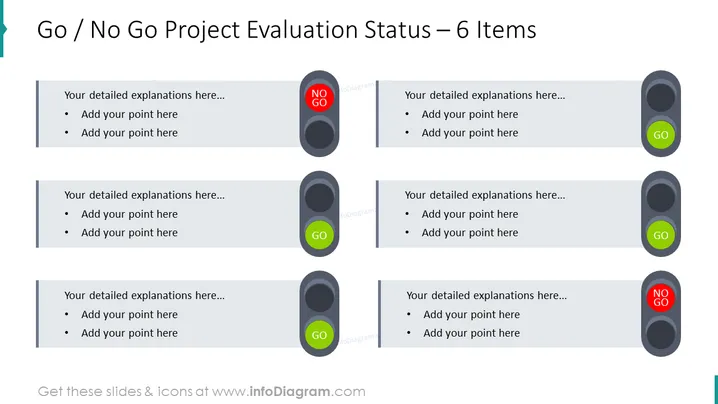
Go / No Go Project Evaluation Status – 6 Items
Slide Content:
This slide is designed for project evaluation, presenting a 'Go / No Go' status for six different elements. Each element has a circle indicator labeled either 'GO' in green or 'NO GO' in red, followed by space for detailed explanations and bullet points. This layout can be used to quickly communicate whether various aspects of a project are approved to proceed or if they need reevaluation or correction.
Graphical Look:
- Three 'NO GO' indicators with red backgrounds and three 'GO' indicators with green backgrounds.
- Grey rectangular areas to the left of each indicator for text and bullet points.
- The graphical elements are arranged symmetrically across the slide in two columns.
The slide has a clean and balanced design with color-coded indicators for easy identification of status. The visual elements are simple yet effective in conveying the go or no-go conditions.
Use Cases:
This slide is ideal for use in business presentations where project statuses need to be reviewed, such as milestone meetings, project gate reviews, or executive updates. It helps in decision-making by clearly showing which parts of a project are ready to advance and which are not.
How to Edit
How to edit text & colors

How to expand / shorten diagram

How to Replace Icons in infoDiagram PPT


