
Reviews
Your graphics add a nice touch to my presentations and I recently used them for one of my all-hands meetings. Your toolbox adds professionalism to my slides. Instead of using standard clipart.
I needed a fresh look at some of my slides. I've tried to find a way to create a paintbrush effect, to underline, accentuate, add some color and the handwritten markers were just the things. Very easy to use, easy to size, change the color. It was an affordable, perfect solution and I'm happy to recommend it.
The crisp, clean look of the graphics, and the fact that it allowed me to easily edit and change the colors to match the template was my main reason for purchasing them.
Description
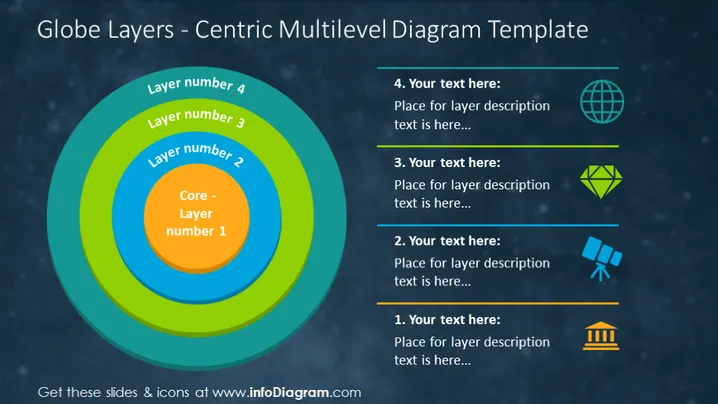
Globe Layers - Centric Multilevel Diagram Template
Slide Content
The slide presents a "Globe Layers - Centric Multilevel Diagram Template", showing a graphical representation of four concentric layers. Each layer is color-coded and labeled from the core ("Core - Layer number 1") expanding outward to "Layer number 4". Beside this diagram, there are four text boxes, each associated with a corresponding layer and paired with a unique icon: a globe for layer 4, a diamond shape for layer 3, binoculars for layer 2, and a building block icon for layer 1. These text boxes are meant for detailed descriptions of each layer, indicating a multilevel analysis or structure.
Graphical Look
- A multilevel circular diagram in the center-left of the slide depicting layers like a cross-section of a globe.
- Four numbered text boxes to the right, each with a heading and a placeholder for descriptive text.
- Next to each text box, there is a distinctly colored icon corresponding with the color of the related layer in the diagram.
- Horizontal lines separate each text box and its associated icon.
The slide's overall look is colorful and strategic, with cool-tone colors dominating the design. The visual separation of the text boxes and correlated icons alongside the central diagram allows for easy correlation and comprehension.
Use Cases
- To explain hierarchical structures or relationships within a system or an organization.
- For illustrating the layers of a product, service, or concept, ranging from the core to peripheral elements.
- As a visual tool to discuss multi-tiered strategies in business planning or marketing approaches.
- To demonstrate the breakdown of components in an environmental, geological, or educational context.
How to Edit
How to edit text & colors

How to expand / shorten diagram

How to Replace Icons in infoDiagram PPT


