
Reviews
Sus gráficos añaden un toque agradable a mis presentaciones y recientemente los usé para una de mis reuniones generales. Su conjunto de herramientas añade profesionalismo a mis diapositivas. En lugar de usar imágenes prediseñadas estándar.
Necesitaba un aspecto fresco para algunas de mis diapositivas. Había intentado encontrar una forma de crear un efecto de pincel, de subrayar, acentuar, añadir algo de color y los marcadores escritos a mano fueron justo lo que necesitaba. Muy fácil de usar, fácil de ajustar el tamaño, cambiar el color. Fue una solución asequible y perfecta, y estoy feliz de recomendarla.
El aspecto nítido y limpio de los gráficos, y el hecho de que me permitiera editar y cambiar fácilmente los colores para que coincidieran con la plantilla fue mi principal razón para comprarlos.
Description
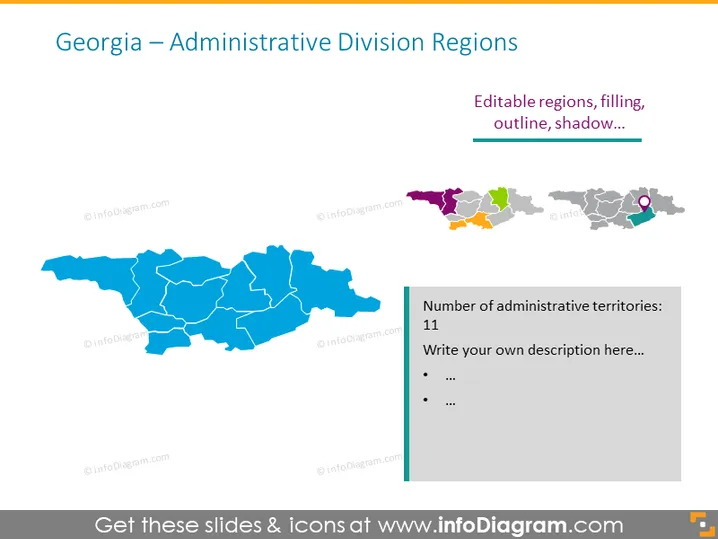
Georgia – Administrative Division Regions
Slide Content
The PowerPoint slide titled "Georgia – Administrative Division Regions" features a map representing the administrative territories of Georgia. The map is divided into regions that are color-coded, with a note mentioning that there are 11 administrative territories. The slide promotes the capability of editing region colors, outlines, and adding shadows, implying that the graphic is customizable. The text box encourages adding a personal description, implying that the slide is interactive and intended for user input.
Graphical Look
- The slide is dominated by a large map of Georgia in a central position, showcasing various administrative regions in blue tones.
- On the right, three smaller representations of Georgia are aligned vertically, each in a different style: colored by individual regions, grayscale, and one highlighting a specific region in magenta.
- A rectangular text box on the right side contains text related to the number of administrative territories in Georgia and provides space for additional personalized information.
- Each of the smaller map versions and the large central map features a watermark logo.
- The title is at the top left in a large font, with a subheading beneath it featuring a shorter text and a horizontal line.
The slide has a clean and professional look with a focus on the central map. The color palette is limited to shades of blue with additional colors used to denote specific regions in the smaller maps.
Use Cases
- Presenting information on regional governance or administrative boundaries within the country of Georgia for educational purposes or business briefings.
- Discussing regional demographics, economic statistics, or development projects with stakeholders or during a business strategy session.
- Orienting new employees or providing geographic context in companies that have operations or partnerships within the various regions of Georgia.
- Customizing to reflect company-specific data such as sales regions, service areas, or market research findings.
How to Edit
How to edit text & colors

How to expand / shorten diagram

How to Replace Icons in infoDiagram PPT


