
Reviews
Ihre Grafiken verleihen meinen Präsentationen eine nette Note, und ich habe sie kürzlich für eines meiner All-Hands-Meetings verwendet. Ihre Toolbox verleiht meinen Folien Professionalität, anstatt Standard-Clipart zu verwenden.
Ich brauchte einen neuen Blick auf einige meiner Folien. Ich habe versucht, einen Weg zu finden, einen Pinselschlag-Effekt zu erzielen, um zu unterstreichen, hervorzuheben, Farbe hinzuzufügen, und die handgeschriebenen Markierungen waren genau das Richtige. Sehr einfach zu bedienen, leicht in der Größe zu ändern, die Farbe zu ändern. Es war eine erschwingliche, perfekte Lösung und ich empfehle sie gerne weiter.
Die klare, saubere Optik der Grafiken und die Tatsache, dass ich die Farben leicht bearbeiten und an die Vorlage anpassen konnte, war mein Hauptgrund für den Kauf.
Description
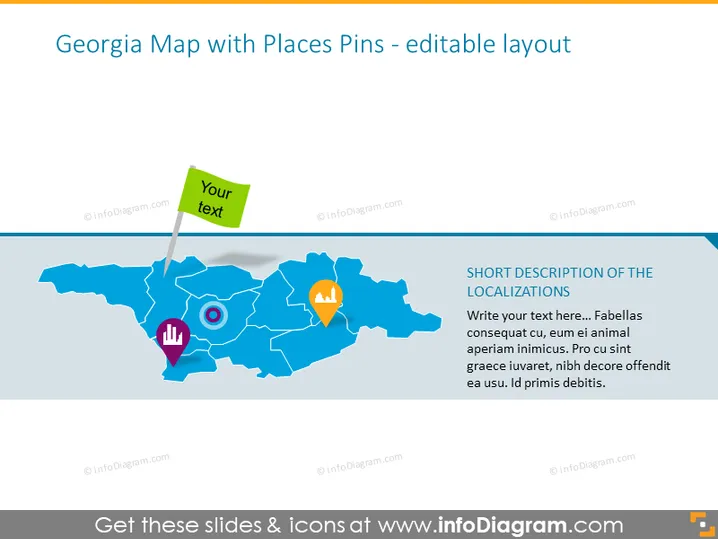
Georgia Map with Places Pins - editable layout
Slide Content
The PowerPoint slide is titled "Georgia Map with Places Pins - editable layout" and exhibits a stylized graphical representation of Georgia's map with various colored place pins and areas for inserting text. The place pins are designed to highlight specific localizations, while adjacent text boxes provide space for descriptions, clarifications, or data related to those pinpointed locations.
Graphical Look
- The slide background is a light gradient of blue hues.
- A map of Georgia, with a simplistic and abstract style, dominates the slide's center.
- There are three place pins on the map: one with a hand icon, one with a target icon, and one with a house icon.
- Each pin is a different color: the hand pin is red, the target pin is blue, and the house pin is orange.
- A green-colored ribbon banner floats above the hand icon pin with the editable text "Your text" indicating a customizable label.
- To the right of the map is a text box with a placeholder title "SHORT DESCRIPTION OF THE LOCALIZATIONS" and lorem ipsum body text suggesting this area is for detailed explanations.
The slide has a clean, professional appearance with a focus on the Georgia map and the ability to pinpoint specific locations. The use of colorful icons and text placeholders indicates it's designed for customization and annotation.
Use Cases
- Highlighting geographic areas of interest during business expansion discussions or market analysis presentations.
- Using in educational settings to teach geography or to discuss historical events in Georgia by marking important locations.
- Presenting demographic data, customer distribution, or logistical planning in a visually engaging manner.
- For tourism or travel presentations, marking points of interest, routes, or destinations within the state of Georgia.
How to Edit
How to edit text & colors

How to expand / shorten diagram

How to Replace Icons in infoDiagram PPT


