
Reviews
Ihre Grafiken verleihen meinen Präsentationen eine nette Note, und ich habe sie kürzlich für eines meiner All-Hands-Meetings verwendet. Ihre Toolbox verleiht meinen Folien Professionalität, anstatt Standard-Clipart zu verwenden.
Ich brauchte einen neuen Blick auf einige meiner Folien. Ich habe versucht, einen Weg zu finden, einen Pinselschlag-Effekt zu erzielen, um zu unterstreichen, hervorzuheben, Farbe hinzuzufügen, und die handgeschriebenen Markierungen waren genau das Richtige. Sehr einfach zu bedienen, leicht in der Größe zu ändern, die Farbe zu ändern. Es war eine erschwingliche, perfekte Lösung und ich empfehle sie gerne weiter.
Die klare, saubere Optik der Grafiken und die Tatsache, dass ich die Farben leicht bearbeiten und an die Vorlage anpassen konnte, war mein Hauptgrund für den Kauf.
Description
GENERAL FUNNEL
Slide Content
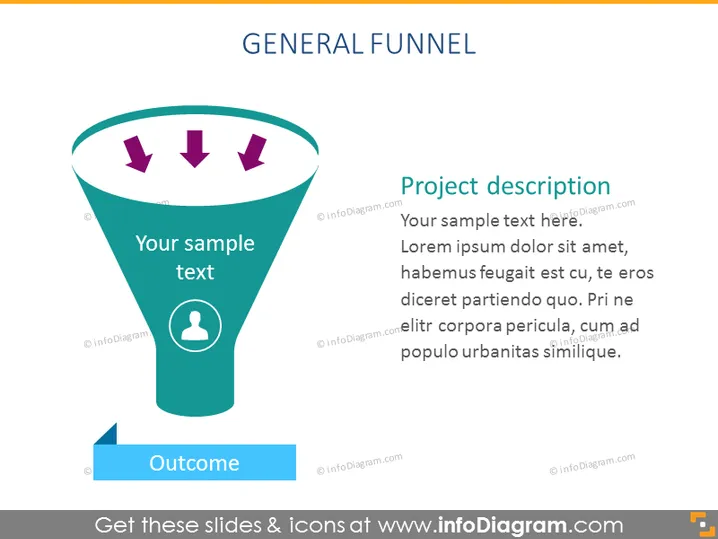
The slide depicts a "General Funnel" with a section for text input labeled "Your sample text" near the top inside the funnel, potentially describing the initial stages of the funnel process. Three arrows point downwards inside the funnel to signify the flow towards an outcome, marked by a ribbon-like shape that also includes a placeholder for text ("Outcome"). Beside the funnel graphic is a section titled "Project description," with placeholder text indicating where a speaker may elaborate on the specifics of the project or process being presented.
Graphical Look
- The slide title "GENERAL FUNNEL" is placed at the top center in bold, capital letters, using a sans-serif font.
- A large teal funnel dominates the left side of the slide, with a white border and a light shadow for a 3D effect.
- Inside the funnel are three purple arrows pointing downwards, indicating movement through the funnel.
- There is a circular icon with a person silhouette at the narrow end of the funnel, signifying the human element or target audience.
- To the right of the funnel is a large text box for the project description, with a purple header and black body text.
- A smaller text box overlaying the wide part of the funnel reads "Your sample text" in white font.
- A blue, banner-like shape at the bottom left of the funnel contains the word "Outcome" in white text.
The visual elements have a flat design with some elements using depth effects like shadows to create a slight 3D look. The use of bold colors and clear icons contributes to a modern and professional appearance.
Use Cases
- To illustrate the stages of a sales or marketing funnel during corporate presentations.
- To visualize the workflow process in project management meetings.
- To explain the customer journey in a product or service during a business strategy session.
- To depict decision-making processes or lead qualification methods in training sessions.
How to Edit
How to edit text & colors

How to expand / shorten diagram

How to Replace Icons in infoDiagram PPT


