
Reviews
Ihre Grafiken verleihen meinen Präsentationen eine nette Note, und ich habe sie kürzlich für eines meiner All-Hands-Meetings verwendet. Ihre Toolbox verleiht meinen Folien Professionalität, anstatt Standard-Clipart zu verwenden.
Ich brauchte einen neuen Blick auf einige meiner Folien. Ich habe versucht, einen Weg zu finden, einen Pinselschlag-Effekt zu erzielen, um zu unterstreichen, hervorzuheben, Farbe hinzuzufügen, und die handgeschriebenen Markierungen waren genau das Richtige. Sehr einfach zu bedienen, leicht in der Größe zu ändern, die Farbe zu ändern. Es war eine erschwingliche, perfekte Lösung und ich empfehle sie gerne weiter.
Die klare, saubere Optik der Grafiken und die Tatsache, dass ich die Farben leicht bearbeiten und an die Vorlage anpassen konnte, war mein Hauptgrund für den Kauf.
Description
Gears Timeline Layout
Slide Content
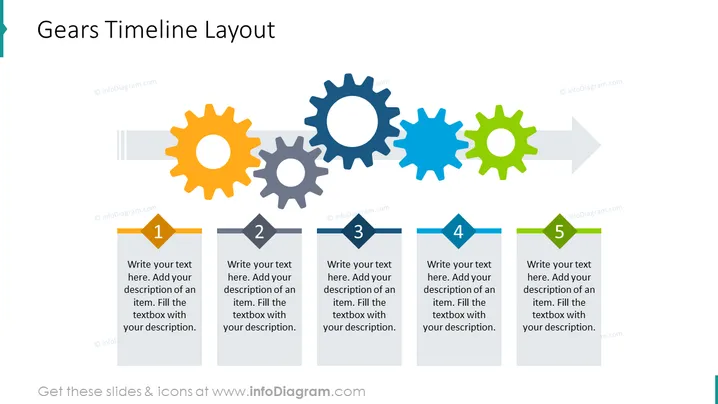
The "Gears Timeline Layout" PowerPoint slide is designed to present a process or timeline in five distinct steps. Each step is represented by a gear and a corresponding flag-shaped text box, where step-specific information can be added. This visual metaphor of interlocking gears implies progression, teamwork, or the integration of ideas or processes, with each gear's movement propelling the next, demonstrating that each step is crucial for the continuity and success of the overall process.
Graphical Look
- The slide features a horizontal array of five colorful gears in orange, grey, blue, light blue, and green from left to right.
- Each gear is associated with a numbered flag-like text box below it, with numbers from 1 to 5, indicating the sequence of steps.
- The text boxes have a placeholder text suggesting to "Write your text here..." with detailed instructions for adding a description.
- A large, light-gray arrow spans the length of the slide, pointing right, visually connecting the gears and implying forward movement.
- The color palette is bright and attention-grabbing with a mix of warm and cool colors that make the slide visually appealing.
- The slide background is white, which creates contrast and makes the colored elements stand out.
The overall look of the slide is clean, modern, and dynamic, with the use of colorful gears and directional arrow clearly indicating a progression or sequence. The design is intuitive and draws the viewer's eye across from left to right, following the flow of the process being introduced.
Use Cases
- Illustrating the steps in a project or product development process, emphasizing the interconnectedness of each phase.
- Describing a timeline of events in a visual and engaging way for educational or training purposes.
- Presenting business strategy or workflow where each step is critical and affects the subsequent ones.
- Demonstrating phases of team collaboration or operational procedures, highlighting how each department or role contributes to the overall goal.
How to Edit
How to edit text & colors

How to expand / shorten diagram

How to Replace Icons in infoDiagram PPT


