
Reviews
Your graphics add a nice touch to my presentations and I recently used them for one of my all-hands meetings. Your toolbox adds professionalism to my slides. Instead of using standard clipart.
I needed a fresh look at some of my slides. I've tried to find a way to create a paintbrush effect, to underline, accentuate, add some color and the handwritten markers were just the things. Very easy to use, easy to size, change the color. It was an affordable, perfect solution and I'm happy to recommend it.
The crisp, clean look of the graphics, and the fact that it allowed me to easily edit and change the colors to match the template was my main reason for purchasing them.
Description
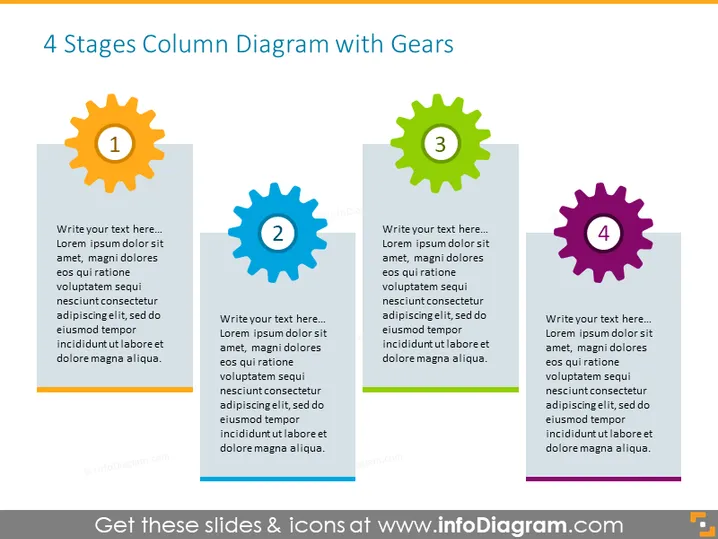
4 Stages Column Diagram with Gears
Slide Content
The PowerPoint slide titled "4 Stages Column Diagram with Gears" likely describes a process or a system with four interconnected stages. Each stage is represented by a colored gear with a number from 1 to 4, and there is space for text to explain each stage. The gears suggest that these stages are parts of a mechanism where each part must function effectively for the whole system to work. Typically, such a diagram could be used to explain sequential processes, stages of a project, or steps in a workflow.
Graphical Look
- The slide has a clean, flat design with a white background.
- There are four large gears, each with a different color (orange, blue, green, and purple) and numbered from 1 to 4.
- The gears are aligned horizontally across the slide, spaced evenly.
- Each gear is connected to a rectangular shape that provides space for text.
- The rectangular text boxes have a slightly darker shade at the bottom, possibly to create a sense of depth.
- Each gear has a drop shadow, enhancing the three-dimensional effect.
- The font color of the text within the boxes is dark, ensuring good contrast and readability.
The overall look of the slide is modern and professional, with a focus on simplicity and clarity. The use of colored gears as visual metaphors for stages or steps in a process helps to quickly convey the concept of interconnectedness and movement.
Use Cases
- Illustrating the phases of a project timeline where each gear represents a distinct phase.
- Explaining the steps of a business strategy or process improvement with each gear signifying a specific action or task.
- Teaching or training purposes, breaking down a complex system into more manageable parts.
- Use in sales or marketing presentations to describe the stages of a customer journey or the product development cycle.
How to Edit
How to edit text & colors

How to expand / shorten diagram

How to Replace Icons in infoDiagram PPT


