
Reviews
Ihre Grafiken verleihen meinen Präsentationen eine nette Note, und ich habe sie kürzlich für eines meiner All-Hands-Meetings verwendet. Ihre Toolbox verleiht meinen Folien Professionalität, anstatt Standard-Clipart zu verwenden.
Ich brauchte einen neuen Blick auf einige meiner Folien. Ich habe versucht, einen Weg zu finden, einen Pinselschlag-Effekt zu erzielen, um zu unterstreichen, hervorzuheben, Farbe hinzuzufügen, und die handgeschriebenen Markierungen waren genau das Richtige. Sehr einfach zu bedienen, leicht in der Größe zu ändern, die Farbe zu ändern. Es war eine erschwingliche, perfekte Lösung und ich empfehle sie gerne weiter.
Die klare, saubere Optik der Grafiken und die Tatsache, dass ich die Farben leicht bearbeiten und an die Vorlage anpassen konnte, war mein Hauptgrund für den Kauf.
Description
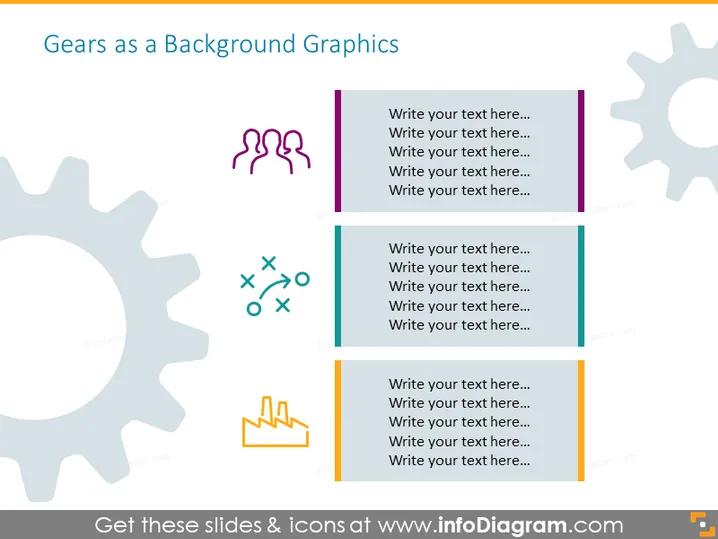
Gears as a Background Graphics
Slide Content
The slide seems to outline different components or aspects of a process or framework, represented by gears and icons. Each icon could symbolize a unique portion of an overarching system, such as teamwork (three human figures), strategy or planning (cross, circle, triangle, square), and growth or success (arrow pointing upwards). Below each icon, there are placeholders for text, indicating that additional details or descriptions are intended to be inserted for each represented concept.
Graphical Look
- The slide has a light-colored background with a large grey gear graphic on the left.
- There are three smaller graphics: a purple group of human figures at the top, green strategic shapes in the middle, and an orange growth arrow at the bottom.
- Each graphic is accompanied by a colored vertical bar to its left and has placeholder text boxes to its right, which are aligned in a vertical column.
- The font used for the placeholder text seems to be a standard sans-serif type, which is clear and legible.
The slide has a professional and clean design, with a balance of graphical elements and text placeholders. The use of gears as background graphics suggests interconnectivity and movement, which aligns with the theme of processes or mechanisms.
Use Cases
- To present different aspects of a business strategy where each gear represents a key area of focus or department.
- As a visual agenda slide outlining the topics to be discussed in a meeting or workshop, with each symbol representing a specific item on the agenda.
- To depict the workflow or stages in a project, where the gears symbolize how each phase interlocks with the next.
- To show the different roles in team collaboration or aspects of organizational culture, with each image corresponding to a different team function or cultural value.
How to Edit
How to edit text & colors

How to expand / shorten diagram

How to Replace Icons in infoDiagram PPT


