
Reviews
Your graphics add a nice touch to my presentations and I recently used them for one of my all-hands meetings. Your toolbox adds professionalism to my slides. Instead of using standard clipart.
I needed a fresh look at some of my slides. I've tried to find a way to create a paintbrush effect, to underline, accentuate, add some color and the handwritten markers were just the things. Very easy to use, easy to size, change the color. It was an affordable, perfect solution and I'm happy to recommend it.
The crisp, clean look of the graphics, and the fact that it allowed me to easily edit and change the colors to match the template was my main reason for purchasing them.
Description
Icons – GDPR Data Actions
Slide Content
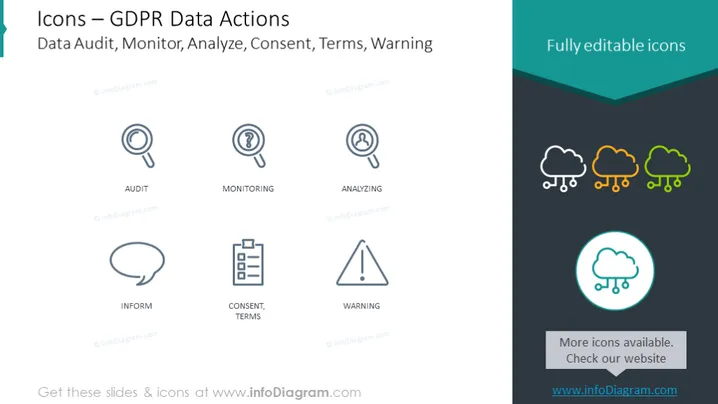
The slide presents a collection of icons related to GDPR (General Data Protection Regulation) data actions such as "Data Audit, Monitor, Analyze, Consent, Terms, Warning." Each icon on the slide is labeled with a corresponding action: "Audit" stands for a systematic examination, "Monitoring" for ongoing tracking, "Analyzing" for examining data in detail, "Inform" for notifying or providing data, "Consent, Terms" for agreement conditions, and "Warning" conveys a caution or alert.
Graphical Look
- The slide background is white with a dark turquoise header that also contains the text "Fully editable icons."
- Six icons are evenly distributed across the slide in two rows of three.
- Each icon is paired with a label underneath the graphic in a simple, clean font.
- The first set of icons (Audit, Monitoring, Analyzing) are monochrome, depicted in a shade of dark gray.
- The second row of icons (Inform, Consent, Terms, Warning) follows the same color and style as the first row.
- On the right side, there is a cluster of three cloud icons, each with a chain symbol below it, depicting links or connections. These icons transition from monochrome to colored (yellow-green gradient) as they stack upon each other.
- A circle with a highlighted icon of a cloud and a check symbol sits at the bottom right of the slide, with a turquoise ring and shadow effect.
- Text stating "More icons available. Check our website" is present beside the highlighted cloud icon, with the website's URL below.
The slide is clean and minimally designed with a clear focus on the icons. The use of colors is restrained, with the emphasis on contrast to draw attention to the icons and their labels.
Use Cases
- To outline various GDPR compliance activities during a data privacy workshop.
- As a visual aid in corporate training sessions discussing the implementation of GDPR data protection measures.
- To enhance communication in meetings with legal and compliance teams about data handling requirements.
- In presentations to stakeholders to demonstrate the company's commitment to GDPR standards through visual process representation.
How to Edit
How to edit text & colors

How to expand / shorten diagram

How to Replace Icons in infoDiagram PPT


