
Reviews
Your graphics add a nice touch to my presentations and I recently used them for one of my all-hands meetings. Your toolbox adds professionalism to my slides. Instead of using standard clipart.
I needed a fresh look at some of my slides. I've tried to find a way to create a paintbrush effect, to underline, accentuate, add some color and the handwritten markers were just the things. Very easy to use, easy to size, change the color. It was an affordable, perfect solution and I'm happy to recommend it.
The crisp, clean look of the graphics, and the fact that it allowed me to easily edit and change the colors to match the template was my main reason for purchasing them.
Description
FLAT 3 LEVEL FUNNEL
Slide Content
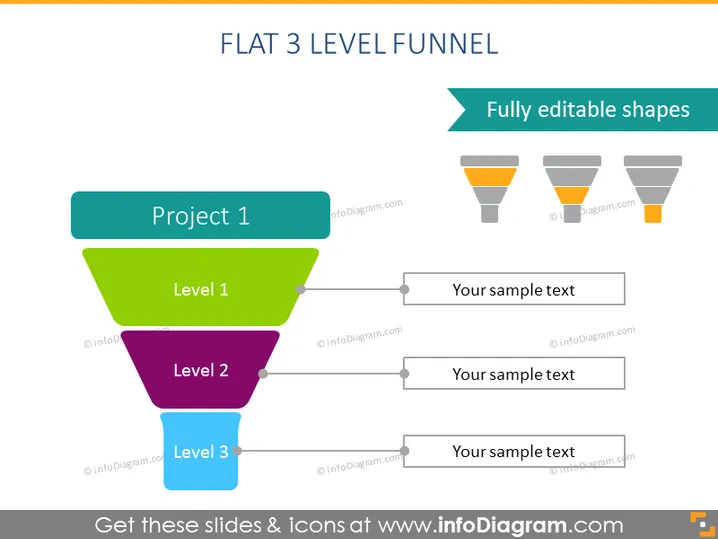
The PowerPoint slide showcases a "Flat 3 Level Funnel" model, a metaphor commonly used for various business processes, including sales, marketing, and project development. The funnel consists of three distinct levels: "Level 1" in green, indicating the initial or top phase of a process; "Level 2" in purple, which represents a subsequent, more refined stage; and "Level 3" in blue, denoting the final, most focused phase. To the right, each level is associated with a text box for "Your sample text," allowing for the addition of details or descriptions about each stage.
Graphical Look
- A three-tiered funnel, with each level represented by a different color; green for the top tier, purple for the middle, and blue for the bottom tier.
- Horizontal lines protrude from the right side of each funnel section, leading to rectangular text boxes.
- Small circle nodes connect the funnel sections to the lines, indicating a flow or progression.
- Three similar funnels with decreasing levels of opacity are aligned horizontally in the upper right corner, symbolizing the editability of the shapes.
- A large turquoise banner at the top provides the slide's title in white text.
- A smaller turquoise banner in the upper right corner contains the text "Fully editable shapes" in white.
The slide has a clean, modern design with flat graphics and a simple color scheme. The title and subtitles are clearly legible, and the shaded boxes to the right of the funnel offer plenty of space for additional information.
Use Cases
- Presenting sales process stages from lead generation to closing deals.
- Illustrating project phases in project management presentations.
- Describing funnel analysis for marketing campaigns.
- Explaining customer journey steps from awareness to conversion.
How to Edit
How to edit text & colors

How to expand / shorten diagram

How to Replace Icons in infoDiagram PPT


