
Reviews
Sus gráficos añaden un toque agradable a mis presentaciones y recientemente los usé para una de mis reuniones generales. Su conjunto de herramientas añade profesionalismo a mis diapositivas. En lugar de usar imágenes prediseñadas estándar.
Necesitaba un aspecto fresco para algunas de mis diapositivas. Había intentado encontrar una forma de crear un efecto de pincel, de subrayar, acentuar, añadir algo de color y los marcadores escritos a mano fueron justo lo que necesitaba. Muy fácil de usar, fácil de ajustar el tamaño, cambiar el color. Fue una solución asequible y perfecta, y estoy feliz de recomendarla.
El aspecto nítido y limpio de los gráficos, y el hecho de que me permitiera editar y cambiar fácilmente los colores para que coincidieran con la plantilla fue mi principal razón para comprarlos.
Description
FLAT 3 LEVEL FUNNEL
Slide Content
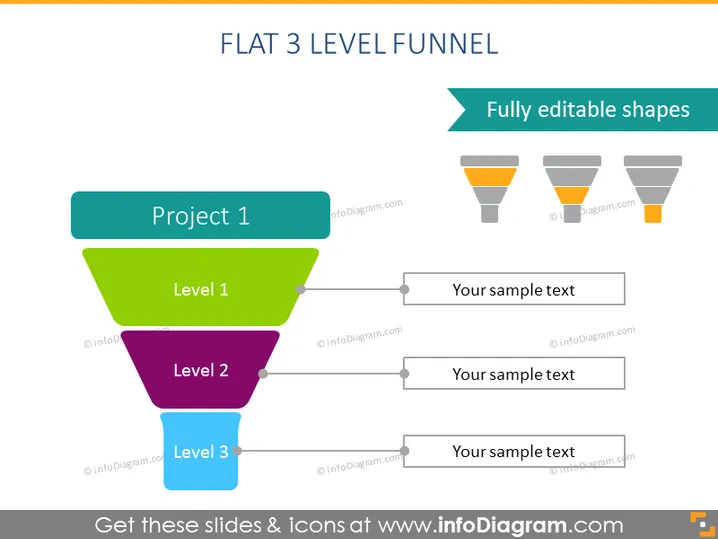
The PowerPoint slide showcases a "Flat 3 Level Funnel" model, a metaphor commonly used for various business processes, including sales, marketing, and project development. The funnel consists of three distinct levels: "Level 1" in green, indicating the initial or top phase of a process; "Level 2" in purple, which represents a subsequent, more refined stage; and "Level 3" in blue, denoting the final, most focused phase. To the right, each level is associated with a text box for "Your sample text," allowing for the addition of details or descriptions about each stage.
Graphical Look
- A three-tiered funnel, with each level represented by a different color; green for the top tier, purple for the middle, and blue for the bottom tier.
- Horizontal lines protrude from the right side of each funnel section, leading to rectangular text boxes.
- Small circle nodes connect the funnel sections to the lines, indicating a flow or progression.
- Three similar funnels with decreasing levels of opacity are aligned horizontally in the upper right corner, symbolizing the editability of the shapes.
- A large turquoise banner at the top provides the slide's title in white text.
- A smaller turquoise banner in the upper right corner contains the text "Fully editable shapes" in white.
The slide has a clean, modern design with flat graphics and a simple color scheme. The title and subtitles are clearly legible, and the shaded boxes to the right of the funnel offer plenty of space for additional information.
Use Cases
- Presenting sales process stages from lead generation to closing deals.
- Illustrating project phases in project management presentations.
- Describing funnel analysis for marketing campaigns.
- Explaining customer journey steps from awareness to conversion.
How to Edit
How to edit text & colors

How to expand / shorten diagram

How to Replace Icons in infoDiagram PPT


