

Your graphics add a nice touch to my presentations and I recently used them for one of my all-hands meetings. Your toolbox adds professionalism to my slides. Instead of using standard clipart.
Claude Jones, Director of Engineer, @Walmartlabs, USA

Your graphics add a nice touch to my presentations and I recently used them for one of my all-hands meetings. Your toolbox adds professionalism to my slides. Instead of using standard clipart.
Claude Jones, Director of Engineer, @Walmartlabs, USA
I needed a fresh look at some of my slides. I've tried to find a way to create a paintbrush effect, to underline, accentuate, add some color and the handwritten markers were just the things. Very easy to use, easy to size, change the color. It was an affordable, perfect solution and I'm happy to recommend it.
Anonymous, US
The crisp, clean look of the graphics, and the fact that it allowed me to easily edit and change the colors to match the template was my main reason for purchasing them.
Brandie Jenkins, E-learning Developer, USA
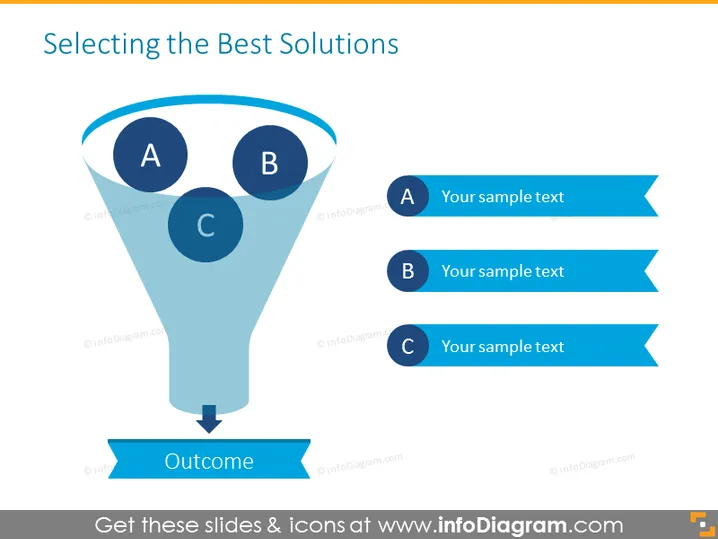
The slide appears to depict a process of filtering or prioritizing options to arrive at the best solution. Three options, A, B, and C, are shown entering the wide end of a funnel, converging into a single directed flow towards an outcome. This suggests a selection or decision-making process where multiple possibilities are considered and refined down to a singular, optimal choice. Each letter corresponds to a sample text, indicating placeholders for specific information about the options being considered.
The overall look of the slide is clean and organized, utilizing shades of blue to denote various elements of the decision-making process. The visual metaphors of a funnel and flow towards an outcome clearly illustrate the concept of narrowing down options to reach a solution.



