
Reviews
The icons are fantastic, easy to use, and will add value to any project or presentation. Keep up the great work.
I love how simple infoDiagram's solutions are and the personal interest they took in my work. Recommended 1000%!
The crisp, clean look of the graphics, and the fact that it allowed me to easily edit and change the colors to match the template was my main reason for purchasing them.
Description
Full Circles Timeline – 4 items, with icons
Slide Content
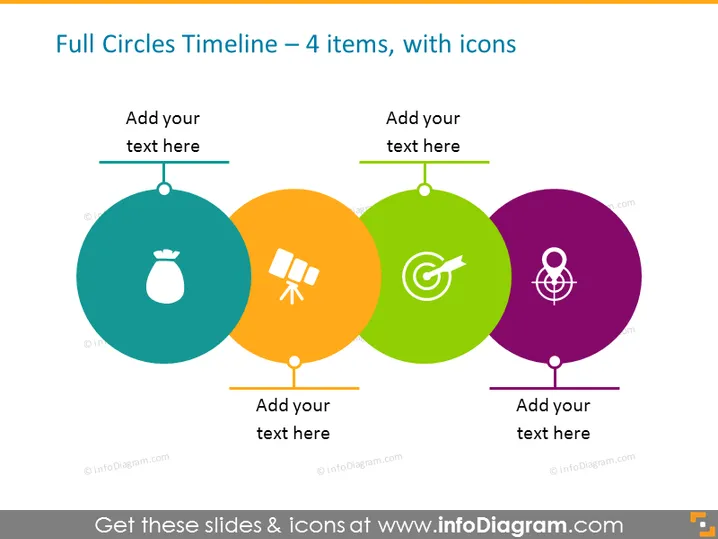
The PowerPoint slide is meant to visualize a timeline with four distinct items, each represented by a full circle and an accompanying icon. These colored circles are arranged horizontally and connected linearly to denote a sequence or progression. The first circle contains an icon of a money bag, typically symbolizing finance or savings. The second has a satellite icon, possibly representing technology or communication. The third circle contains a target icon, which might imply goals or accuracy. The final circle features an atomic icon, potentially indicating science or energy. Each circle also has a space labeled "Add your text here," suggesting that the presenter can customize the slide content according to specific details of the timeline they are depicting.
Graphical Look
- The slide features a flat design aesthetic with crisp, clear lines and a minimalist style.
- Four large, colored circles are evenly spaced across the slide, each with a unique and visually distinct icon in white.
- The circles are colored teal, orange, green, and purple, creating a vibrant contrast against the white background.
- Above and below each circle, there is a text placeholder for adding information related to each timeline item.
- Horizontal lines connect the centers of the circles, signifying a timeline pathway, with a vertical line extending downward from each circle.
- Subtle drop shadows give a slight depth to the circles, enhancing their visual prominence on the slide.
- Each circle is connected with a straight, horizontal timeline bar that has a warm grey color.
The overall look is colorful, engaging, and easy to interpret. The design is modern and professional, suitable for conveying timeline information in a clear and organized manner.
Use Cases
- To present a project timeline in a business meeting, highlighting key milestones or phases.
- In a marketing presentation to outline the stages of a product launch or campaign development.
- To depict a strategic plan's progression over time during a stakeholder or board meeting.
- Within an educational setting, to visually demonstrate the sequence of events in a historical or scientific context.
How to Edit
How to edit text & colors

How to expand / shorten diagram

How to Replace Icons in infoDiagram PPT


