
Reviews
Sus gráficos añaden un toque agradable a mis presentaciones y recientemente los usé para una de mis reuniones generales. Su conjunto de herramientas añade profesionalismo a mis diapositivas. En lugar de usar imágenes prediseñadas estándar.
Necesitaba un aspecto fresco para algunas de mis diapositivas. Había intentado encontrar una forma de crear un efecto de pincel, de subrayar, acentuar, añadir algo de color y los marcadores escritos a mano fueron justo lo que necesitaba. Muy fácil de usar, fácil de ajustar el tamaño, cambiar el color. Fue una solución asequible y perfecta, y estoy feliz de recomendarla.
El aspecto nítido y limpio de los gráficos, y el hecho de que me permitiera editar y cambiar fácilmente los colores para que coincidieran con la plantilla fue mi principal razón para comprarlos.
Description
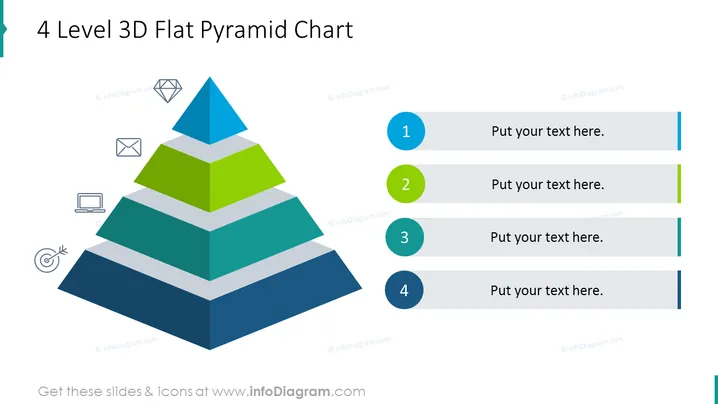
4 Level 3D Flat Pyramid Chart
Slide Content
The slide presents a 4-level 3D pyramid chart, which is a visual hierarchy structure commonly used to illustrate the foundation and subsequent layers of a concept or organization. Each level of the pyramid is differentiated by both color and size, denoting their rank or importance in the hierarchy. The chart also includes place-holder text boxes to the right, numbered from 1 to 4, allowing for a comprehensive explanation of each pyramid level and how they relate to each other.
Graphical Look
- A large, multicolored pyramid is centrally positioned on the slide, composed of a blueish-gray base and three other layers in darker blue, green, and light blue.
- Each layer of the pyramid is slightly smaller than the one below it, creating a 3D stepped effect.
- To the left of the pyramid are four small icons, each corresponding to a level of the pyramid: an envelope, a diamond, a laptop, and a target symbol.
- To the right of the pyramid, four horizontal lines extend toward the edge, each paired with a circular color-coded bullet point matching the pyramid levels’ colors.
- Each line has a placeholder text box labeled "Put your text here.", suggesting space for descriptions or explanations of each pyramid level.
The slide features a clean design with a good balance between text and graphical elements. The color scheme is cohesive, with a modern and professional appearance.
Use Cases
- To show an organizational hierarchy or levels of management within a company.
- To present a step-by-step guide or the stages of a development process.
- To depict the layers of importance in a business strategy or marketing plan.
- To categorize different aspects of a project or product feature set by priority or sequence.
How to Edit
How to edit text & colors

How to expand / shorten diagram

How to Replace Icons in infoDiagram PPT


