
Reviews
Your graphics add a nice touch to my presentations and I recently used them for one of my all-hands meetings. Your toolbox adds professionalism to my slides. Instead of using standard clipart.
I needed a fresh look at some of my slides. I've tried to find a way to create a paintbrush effect, to underline, accentuate, add some color and the handwritten markers were just the things. Very easy to use, easy to size, change the color. It was an affordable, perfect solution and I'm happy to recommend it.
The crisp, clean look of the graphics, and the fact that it allowed me to easily edit and change the colors to match the template was my main reason for purchasing them.
Description
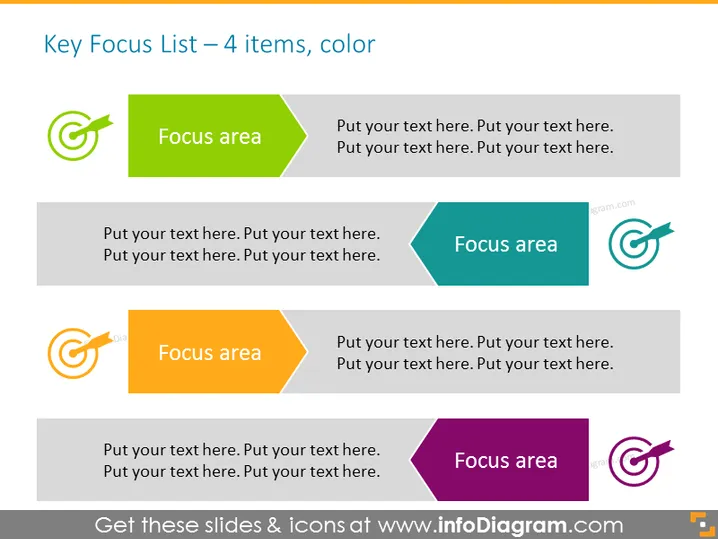
Key Focus List – 4 items, color
Slide Content
The slide presents a list of four key focus areas, each highlighted by a distinct color and an arrow pointing right, which symbolizes targeting or moving forward. The design implies that each section can contain a headline labelled "Focus area" followed by additional descriptive text. This layout is suitable for showcasing priorities, strategies, or stages in a process where defining focus points is essential for understanding the content flow and hierarchy.
Graphical Look
- Four sets of icons and text boxes, each set differentiated by color (green, teal, orange, purple).
- Arrows with circular motion icons that appear to be targeting the corresponding focus area, suggesting precision or orientation towards goals.
- Icons: A circular symbol with an arrow breaking through the circumference conveys dynamism and progress.
- Text boxes: Positioned to the right of each icon, accommodating headings and descriptions.
- Colors: Each section uses a two-tone approach, with a deeper shade for the icon background and a lighter one for the text box.
Overall, the slide has a vibrant and structured look with clear visual demarcation of each focus area. The use of arrows and distinct colors helps in conveying the concept of directionality and prioritization.
Use Cases
- Illustrating different strategic priorities in a business plan.
- Outlining various stages of project development in a project management presentation.
- Presenting core areas of focus for team meetings or corporate training.
- Highlighting product features or services in a marketing pitch.
How to Edit
How to edit text & colors

How to expand / shorten diagram

How to Replace Icons in infoDiagram PPT


