
Reviews
The icons are fantastic, easy to use, and will add value to any project or presentation. Keep up the great work.
I love how simple infoDiagram's solutions are and the personal interest they took in my work. Recommended 1000%!
The crisp, clean look of the graphics, and the fact that it allowed me to easily edit and change the colors to match the template was my main reason for purchasing them.
Description
Fluctuations Icons
Slide Content
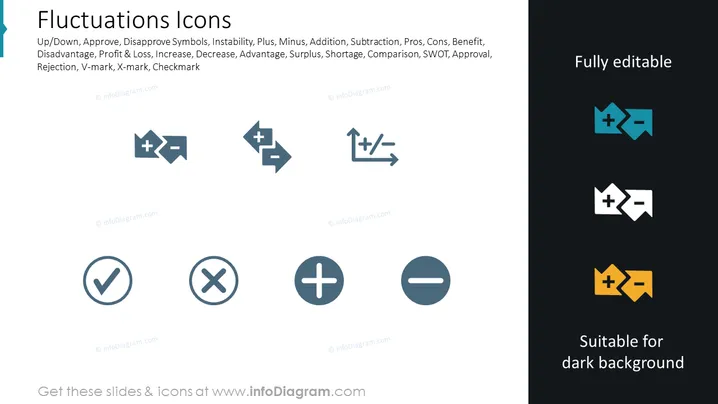
The slide titled "Fluctuations Icons" displays a collection of icons that represent various concepts related to changes and evaluations such as Up/Down, Approve/Disapprove, and Stability/Instability. These icons may also signify mathematical operations like Addition or Subtraction and evaluative concepts like Pros/Cons, Benefit/Disadvantage. Business concepts like Profit & Loss, Increase/Decrease, Advantage/Disadvantage, and Specific evaluative symbols like the checkmark (Approval, Correct, Yes), X-mark (Disapproval, Incorrect, No) are also depicted.
Graphical Look
- Eight icons designed in a uniform style are aligned in two rows and four columns.
- Each icon is represented with a dark blue color and has a distinct symbol or pair of symbols within it.
- Four icons in the first row depict various combinations of plus and minus signs with arrows, indicating different types of fluctuations.
- Second-row icons include a checkmark and an X-mark in circles, and standalone plus and minus signs, representing approval, disapproval, increase, and decrease respectively.
- On the right, the title "Fully editable" is alongside two example icons that are recolored to demonstrate their adaptability to different background colors, one set against a dark background and the other set against a light one.
- The icons have a simple and clear design that is easily understandable at a glance.
The slide has a minimalist design with clean lines and a focus on the icons, which allows for quick comprehension. The color scheme is subdued with a contrasting set of icons on the right to demonstrate versatility.
Use Cases
- Explaining business performance metrics in presentations such as profit fluctuations, stock market changes, project status updates, or financial forecasts.
- Illustrating pros and cons in decision-making processes or SWOT analysis.
- Utilizing in infographics to show trends and comparative analyses in marketing and sales data.
- Integrating into training materials to clarify concepts related to evaluation, change, or stability in various business scenarios.
How to Edit
How to edit text & colors

How to expand / shorten diagram

How to Replace Icons in infoDiagram PPT


