
Reviews
Ihre Grafiken verleihen meinen Präsentationen eine nette Note, und ich habe sie kürzlich für eines meiner All-Hands-Meetings verwendet. Ihre Toolbox verleiht meinen Folien Professionalität, anstatt Standard-Clipart zu verwenden.
Ich brauchte einen neuen Blick auf einige meiner Folien. Ich habe versucht, einen Weg zu finden, einen Pinselschlag-Effekt zu erzielen, um zu unterstreichen, hervorzuheben, Farbe hinzuzufügen, und die handgeschriebenen Markierungen waren genau das Richtige. Sehr einfach zu bedienen, leicht in der Größe zu ändern, die Farbe zu ändern. Es war eine erschwingliche, perfekte Lösung und ich empfehle sie gerne weiter.
Die klare, saubere Optik der Grafiken und die Tatsache, dass ich die Farben leicht bearbeiten und an die Vorlage anpassen konnte, war mein Hauptgrund für den Kauf.
Description
Your sample description here.
Slide Content
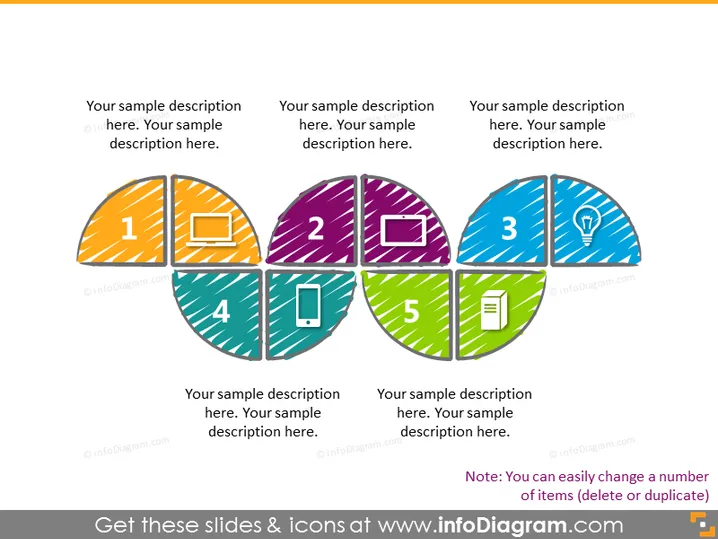
The PowerPoint slide seems to be illustrating a 5-step process or a set of five categories, each represented by a differently colored segment with distinct icons: (1) a monitor, signifying something related to computer screens or visualization; (2) a laptop, possibly indicating tasks relevant to mobile work or computing; (3) a lightbulb, which commonly represents ideas or innovation; (4) a mobile phone, suggesting communication or accessibility; and (5) a document, implying reports or documentation. Each segment contains a sample description.
Graphical Look
- Five semi-circle segments are arranged to form a circle, with each segment numbered and containing a unique icon.
- The segments have varied patterns and colors: orange with stripes, purple with dots, teal with diagonal lines, blue with smaller dots, and green with stripes.
- The icons are white and depict a monitor, laptop, lightbulb, mobile phone, and document.
- Each segment also includes a placeholder text box for descriptions.
- The numbered labels are bold and centered within their respective segments.
The overall look of the slide is vibrant and modern, with a clear distinction between the various elements. The use of icons and colors makes it visually appealing and aids in conveying the separation of concepts or phases.
Use Cases
- Explaining a multi-step process or workflow in a business presentation.
- Showcasing the different components of a project or strategy.
- Highlighting a series of products or services in a marketing pitch.
- Introducing multiple topics within a workshop or educational seminar.
How to Edit
How to edit text & colors

How to expand / shorten diagram

How to Replace Icons in infoDiagram PPT


