
Reviews
Sus gráficos añaden un toque agradable a mis presentaciones y recientemente los usé para una de mis reuniones generales. Su conjunto de herramientas añade profesionalismo a mis diapositivas. En lugar de usar imágenes prediseñadas estándar.
Necesitaba un aspecto fresco para algunas de mis diapositivas. Había intentado encontrar una forma de crear un efecto de pincel, de subrayar, acentuar, añadir algo de color y los marcadores escritos a mano fueron justo lo que necesitaba. Muy fácil de usar, fácil de ajustar el tamaño, cambiar el color. Fue una solución asequible y perfecta, y estoy feliz de recomendarla.
El aspecto nítido y limpio de los gráficos, y el hecho de que me permitiera editar y cambiar fácilmente los colores para que coincidieran con la plantilla fue mi principal razón para comprarlos.
Description
Your sample description here.
Slide Content
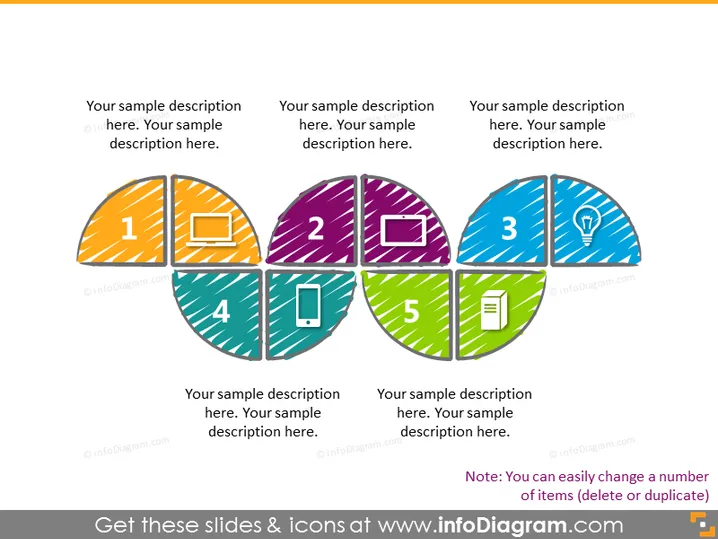
The PowerPoint slide seems to be illustrating a 5-step process or a set of five categories, each represented by a differently colored segment with distinct icons: (1) a monitor, signifying something related to computer screens or visualization; (2) a laptop, possibly indicating tasks relevant to mobile work or computing; (3) a lightbulb, which commonly represents ideas or innovation; (4) a mobile phone, suggesting communication or accessibility; and (5) a document, implying reports or documentation. Each segment contains a sample description.
Graphical Look
- Five semi-circle segments are arranged to form a circle, with each segment numbered and containing a unique icon.
- The segments have varied patterns and colors: orange with stripes, purple with dots, teal with diagonal lines, blue with smaller dots, and green with stripes.
- The icons are white and depict a monitor, laptop, lightbulb, mobile phone, and document.
- Each segment also includes a placeholder text box for descriptions.
- The numbered labels are bold and centered within their respective segments.
The overall look of the slide is vibrant and modern, with a clear distinction between the various elements. The use of icons and colors makes it visually appealing and aids in conveying the separation of concepts or phases.
Use Cases
- Explaining a multi-step process or workflow in a business presentation.
- Showcasing the different components of a project or strategy.
- Highlighting a series of products or services in a marketing pitch.
- Introducing multiple topics within a workshop or educational seminar.
How to Edit
How to edit text & colors

How to expand / shorten diagram

How to Replace Icons in infoDiagram PPT


