
Reviews
Your graphics add a nice touch to my presentations and I recently used them for one of my all-hands meetings. Your toolbox adds professionalism to my slides. Instead of using standard clipart.
I needed a fresh look at some of my slides. I've tried to find a way to create a paintbrush effect, to underline, accentuate, add some color and the handwritten markers were just the things. Very easy to use, easy to size, change the color. It was an affordable, perfect solution and I'm happy to recommend it.
The crisp, clean look of the graphics, and the fact that it allowed me to easily edit and change the colors to match the template was my main reason for purchasing them.
Description
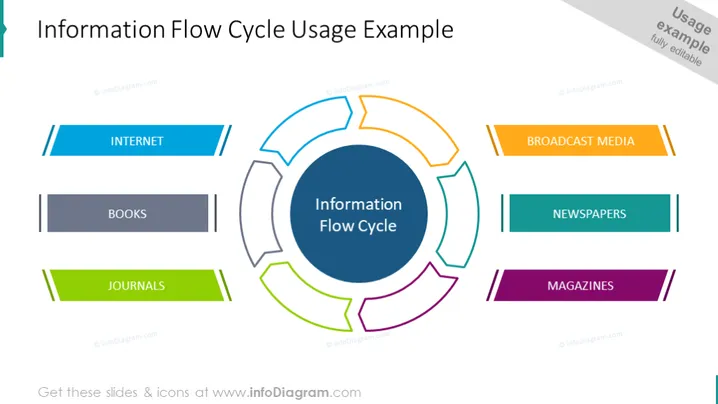
Information Flow Cycle Usage Example
Slide Content
The PowerPoint slide outlines a concept called the "Information Flow Cycle," depicted by a central circular diagram surrounded by labeled segments. Each segment represents a source of information: Internet (highlighted with two blue lines), Books (in dark gray), Journals (in green), Broadcast Media (with two orange lines), Newspapers (in teal), and Magazines (in purple). The Internet implies online sources, Books suggest traditional literature, Journals denote scholarly articles, Broadcast Media signifies TV and radio, Newspapers indicate daily written news, and Magazines imply periodical publications.
Graphical Look
- The slide features a central circular graphic, divided into segments around a navy central circle labeled "Information Flow Cycle."
- Each segment connects to a colored rectangle with text, representing different information sources.
- The rectangles are matched with lines or stripes that extend to the central diagram.
- The rectangles for 'INTERNET,' 'BROADCAST MEDIA,' and 'MAGAZINES' have cornered folds adding a depth effect.
- A palette of colors is used to differentiate information sources, like blue for 'INTERNET,' gray for 'BOOKS,' green for 'JOURNALS,' orange for 'BROADCAST MEDIA,' teal for 'NEWSPAPERS,' and purple for 'MAGAZINES.'
- The layout is balanced, with three source labels on each side of the central circle.
The slide has a clean, professional appearance with a symmetrical layout and a color-coded system to easily distinguish different sources of information.
Use Cases
- To explain the sources and transmission of information within a company or industry during a corporate training session.
- For educators outlining the various avenues through which students can obtain research material for a particular subject.
- In presentations to investors or stakeholders to illustrate where a media or information-related business gets or disseminates content.
- As a framework in marketing meetings to discuss where to focus content distribution or advertising efforts for maximum reach .
How to Edit
How to edit text & colors

How to expand / shorten diagram

How to Replace Icons in infoDiagram PPT


