
Reviews
The icons are fantastic, easy to use, and will add value to any project or presentation. Keep up the great work.
I love how simple infoDiagram's solutions are and the personal interest they took in my work. Recommended 1000%!
The crisp, clean look of the graphics, and the fact that it allowed me to easily edit and change the colors to match the template was my main reason for purchasing them.
Description
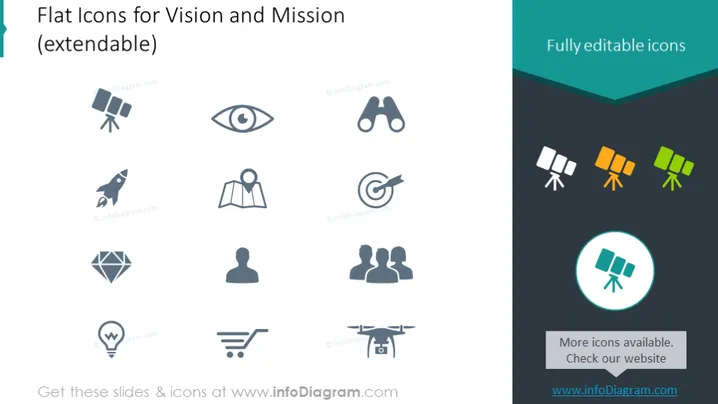
Flat Icons for Vision and Mission (extendable)
Slide Content
This PowerPoint slide displays a collection of flat icons related to vision and mission concepts. The icons include a variety of images: an eye representing vision or insight; binoculars indicating looking into the future or surveillance; a rocket suggesting progress or a dynamic approach; a map pin symbolizing location or positioning; a person, perhaps representing individual contribution or human resources; a diamond, denoting value or quality; two people, suggesting teamwork or partnership; a light bulb with a gear, which can imply innovative or intelligent solutions; a shopping cart, indicating purchases or consumerism; and finally, a drone, which could represent technology or surveillance.
Graphical Look
- The slide background is white, providing a clean and uncluttered canvas for the icons.
- There are 10 icons evenly spaced over two rows, each icon designed with a simple, flat graphic style.
- The colors of the icons are predominantly shades of gray, with three of the icons in the rightmost column featuring a green tint.
- One icon in the bottom right is encircled in teal and is highlighted against the other icons.
- The icons are composed of basic geometric shapes, such as circles, rectangles, and abstract figures, to convey their respective concepts.
- The top right corner of the slide contains a text box with a dark teal header that reads "Fully editable icons" using white text.
- A smaller text box in the bottom right corner provides additional information about more icons being available and directs viewers to a website.
The slide is designed with simplicity and visual balance in mind, taking advantage of a grid layout to organize the icons neatly. Each icon is self-explanatory with minimalistic detail, optimizing for quick recognition and comprehension.
Use Cases
- To illustrate and communicate the components of a company's vision and mission during corporate presentations.
- As a visual aid for workshops or seminars focused on strategic planning and organizational development.
- In marketing materials to visually convey a brand's values, objectives, or unique selling propositions.
- To enhance the aesthetic appeal and clarity of internal documents, such as company handbooks or policy manuals.
How to Edit
How to edit text & colors

How to expand / shorten diagram

How to Replace Icons in infoDiagram PPT


