
Reviews
Your graphics add a nice touch to my presentations and I recently used them for one of my all-hands meetings. Your toolbox adds professionalism to my slides. Instead of using standard clipart.
I needed a fresh look at some of my slides. I've tried to find a way to create a paintbrush effect, to underline, accentuate, add some color and the handwritten markers were just the things. Very easy to use, easy to size, change the color. It was an affordable, perfect solution and I'm happy to recommend it.
The crisp, clean look of the graphics, and the fact that it allowed me to easily edit and change the colors to match the template was my main reason for purchasing them.
Description
Flat Icons Set
Slide Content
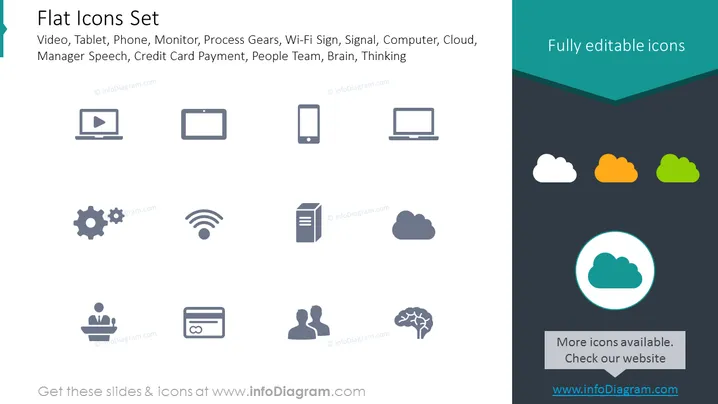
The PowerPoint slide is titled 'Flat Icons Set' and it showcases a variety of flat design icons representing common technology and business concepts. These icons include Video, Tablet, Phone, Monitor, Process Gears, Wi-Fi Signal, Signal, Computer, Cloud, Manager Speech, Credit Card Payment, People Team, Brain, and Thinking. Each icon would typically be used to symbolize different aspects of digital and workplace environments; for example, the Video icon might represent multimedia or streaming, while the Brain icon could suggest intelligence, ideas, or cognitive processes.
Graphical Look
- A teal banner at the top with the title in white, 'Flat Icons Set' next to a larger dark teal arrow shape cutting into the banner.
- Below the title, a row of icons including a monitor with a 'play' symbol, a tablet, and a smartphone, all in dark grey with simple, clean lines.
- The second row features simplified icons representing a gear (process), Wi-Fi signal, and a document in a similar dark grey color.
- The third row has a computer monitor, stylized cloud shapes in dark grey, orange, and green, illustrating cloud computing or storage.
- The final row shows a manager giving a speech, a pair of user profiles (people team), a brain, and a highlighted cloud icon encircled in a teal ring, which draws attention to it as possibly having a special status.
- The bottom box contains a grey rectangle with a call to action, "More icons available. Check our website," and a web address in a lighter grey.
The slide has a clean, professional look with a color scheme that's both eye-catching and sophisticated. The icons are uniformly styled, providing a cohesive visual theme suitable for modern presentation aesthetics.
Use Cases
- Ideal for enhancing visual impact in business presentations, where each icon can quickly convey a complex idea or data point.
- Useful in technology or digital marketing presentations to represent different digital tools or platforms being discussed.
- Can be used as visual aids in user interface design or product feature descriptions during a pitch to clients or stakeholders.
- Suitable for educational materials, where icons can be used to represent various subject matter topics in slides, enhancing comprehension.
How to Edit
How to edit text & colors

How to expand / shorten diagram

How to Replace Icons in infoDiagram PPT


