
Reviews
Your graphics add a nice touch to my presentations and I recently used them for one of my all-hands meetings. Your toolbox adds professionalism to my slides. Instead of using standard clipart.
I needed a fresh look at some of my slides. I've tried to find a way to create a paintbrush effect, to underline, accentuate, add some color and the handwritten markers were just the things. Very easy to use, easy to size, change the color. It was an affordable, perfect solution and I'm happy to recommend it.
The crisp, clean look of the graphics, and the fact that it allowed me to easily edit and change the colors to match the template was my main reason for purchasing them.
Description
Flat Icons Set – People and Business
Slide Content
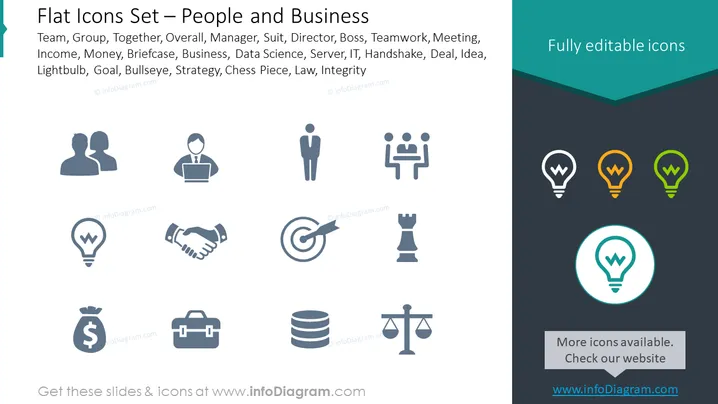
The slide presents a series of flat icons related to people and business concepts. These include icons representing a team, which implies collaboration; a manager or boss, denoting leadership; a briefcase for business affairs; a handshake, suggesting a deal or agreement; and a chess piece, which might symbolize strategy or competition. The inclusion of a lightbulb often signifies an idea or innovation, while a target with an arrow and a scale of justice point to goals and integrity respectively.
Graphical Look
- The slide background is segmented into dual shades of dark teal at the top and lighter grey at the base.
- A title banner in a darker shade stretches across the top with the text 'Fully editable icons' in white sans serif font.
- Twelve icons are neatly arranged in four rows with three icons each, all in a monochromatic grey color.
- The icons are simple, flat design with no gradients or textures, which promotes clarity and easy recognition.
- A highlighted icon at the bottom right is encircled, drawing attention and suggesting it is selected or of importance.
- Each icon is accompanied by short descriptive text labels beneath them, naming the concept each icon represents.
The overall look of the slide is clean and professional, with a straightforward layout that emphasizes accessibility and ease of understanding. The restrained color palette and flat icon design contribute to a modern aesthetic that is common in contemporary corporate presentations.
Use Cases
- To visually enhance sections of a business presentation related to teamwork, leadership, strategy, or ideas.
- In training materials for new employees to quickly communicate company values or areas of focus.
- Within marketing materials to convey business services or products succinctly through recognized symbols.
- On company intranet or project management tools as part of an icon library for internal communication and documentation.
How to Edit
How to edit text & colors

How to expand / shorten diagram

How to Replace Icons in infoDiagram PPT


