
Reviews
Sus gráficos añaden un toque agradable a mis presentaciones y recientemente los usé para una de mis reuniones generales. Su conjunto de herramientas añade profesionalismo a mis diapositivas. En lugar de usar imágenes prediseñadas estándar.
Necesitaba un aspecto fresco para algunas de mis diapositivas. Había intentado encontrar una forma de crear un efecto de pincel, de subrayar, acentuar, añadir algo de color y los marcadores escritos a mano fueron justo lo que necesitaba. Muy fácil de usar, fácil de ajustar el tamaño, cambiar el color. Fue una solución asequible y perfecta, y estoy feliz de recomendarla.
El aspecto nítido y limpio de los gráficos, y el hecho de que me permitiera editar y cambiar fácilmente los colores para que coincidieran con la plantilla fue mi principal razón para comprarlos.
Description
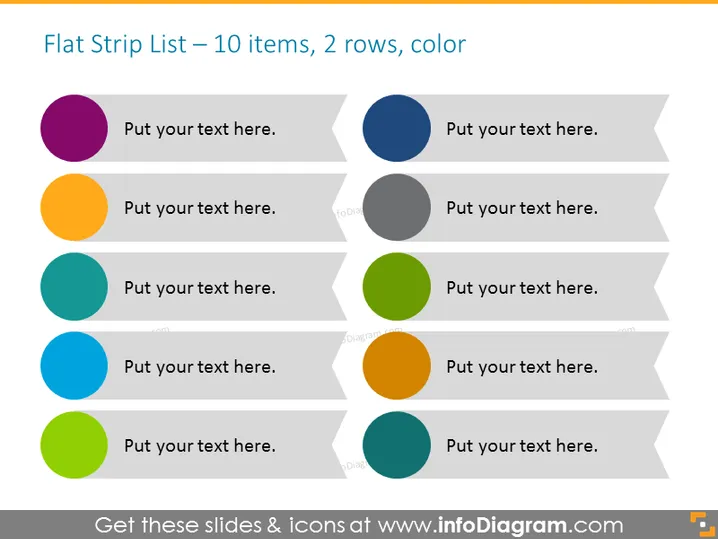
Flat Strip List – 10 items, 2 rows, color
Slide Content
The PowerPoint slide titled "Flat Strip List – 10 items, 2 rows, color" is designed to present information in a clear and segmented manner. It features ten placeholder text spots for customization, each accompanied by a colored circle, allowing for easy categorization or prioritization. The two-row layout provides a balanced appearance and facilitates comparison or progression tracking. This type of slide is often used to outline steps, list key points, or categorize data within a structured presentation framework.
Graphical Look
- The slide contains a total of ten horizontal, ribbon-shaped banners arranged in two rows.
- Each banner features a lighter grey outline with a shadow effect on the bottom, creating a 3D appearance.
- To the left of each banner, there is a solid colored circle, with five unique colors repeated in each row.
- The colors of the circles include purple, orange, teal, blue, and lime green, each color appearing twice.
- There are grey text placeholders on each banner, stating "Put your text here."
- The ten banners are evenly spaced across the slide providing a symmetrical structure.
The overall look of the slide is modern and polished, with a colorful and organized design that draws attention to each individual element. The 3D effect of the banners adds depth and a professional finish to the slide layout.
Use Cases
- To detail a process or workflow with up to ten steps, using the colored circles to mark different stages or priorities.
- For listing multiple services or features of a business, utilizing the text placeholders for brief descriptions.
- To compare and contrast five pairs of concepts, ideas, or products, with each pair distinguished by its corresponding color.
- In educational presentations, to outline lesson components or topics, mapping each point to a specific color for visual differentiation.
How to Edit
How to edit text & colors

How to expand / shorten diagram

How to Replace Icons in infoDiagram PPT


