

Your graphics add a nice touch to my presentations and I recently used them for one of my all-hands meetings. Your toolbox adds professionalism to my slides. Instead of using standard clipart.
Claude Jones, Director of Engineer, @Walmartlabs, USA

Your graphics add a nice touch to my presentations and I recently used them for one of my all-hands meetings. Your toolbox adds professionalism to my slides. Instead of using standard clipart.
Claude Jones, Director of Engineer, @Walmartlabs, USA
I needed a fresh look at some of my slides. I've tried to find a way to create a paintbrush effect, to underline, accentuate, add some color and the handwritten markers were just the things. Very easy to use, easy to size, change the color. It was an affordable, perfect solution and I'm happy to recommend it.
Anonymous, US
The crisp, clean look of the graphics, and the fact that it allowed me to easily edit and change the colors to match the template was my main reason for purchasing them.
Brandie Jenkins, E-learning Developer, USA
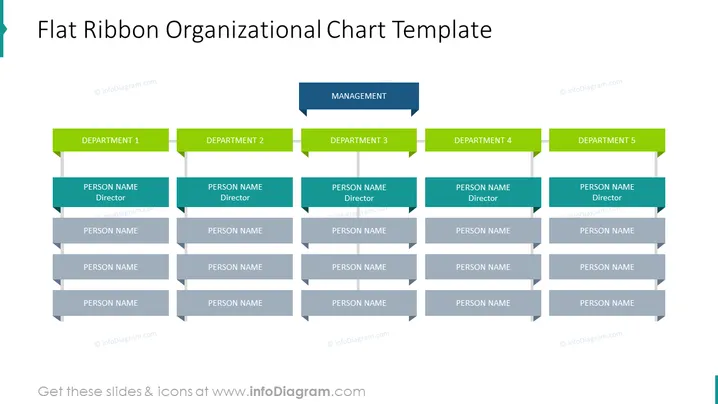
The slide shows an organizational chart template with a hierarchy of positions. The top level is labeled "MANAGEMENT," indicating the highest authority or executive level. Below are five categories denoted as "DEPARTMENT 1" through "DEPARTMENT 5," each representing individual divisions or sections within the organization. Under each department label, there are blocks labeled "PERSON NAME Director," which signifies the leader of that particular department. Additionally, there are two subordinate positions within each department also labeled "PERSON NAME," indicating team members or employees who report to the department director.
The slide presents a clear and structured depiction of an organizational hierarchy. Its use of color coding and flat shapes effectively communicate the relationships and levels within an organization.



