
Reviews
Ihre Grafiken verleihen meinen Präsentationen eine nette Note, und ich habe sie kürzlich für eines meiner All-Hands-Meetings verwendet. Ihre Toolbox verleiht meinen Folien Professionalität, anstatt Standard-Clipart zu verwenden.
Ich brauchte einen neuen Blick auf einige meiner Folien. Ich habe versucht, einen Weg zu finden, einen Pinselschlag-Effekt zu erzielen, um zu unterstreichen, hervorzuheben, Farbe hinzuzufügen, und die handgeschriebenen Markierungen waren genau das Richtige. Sehr einfach zu bedienen, leicht in der Größe zu ändern, die Farbe zu ändern. Es war eine erschwingliche, perfekte Lösung und ich empfehle sie gerne weiter.
Die klare, saubere Optik der Grafiken und die Tatsache, dass ich die Farben leicht bearbeiten und an die Vorlage anpassen konnte, war mein Hauptgrund für den Kauf.
Description
List Title
Slide Content
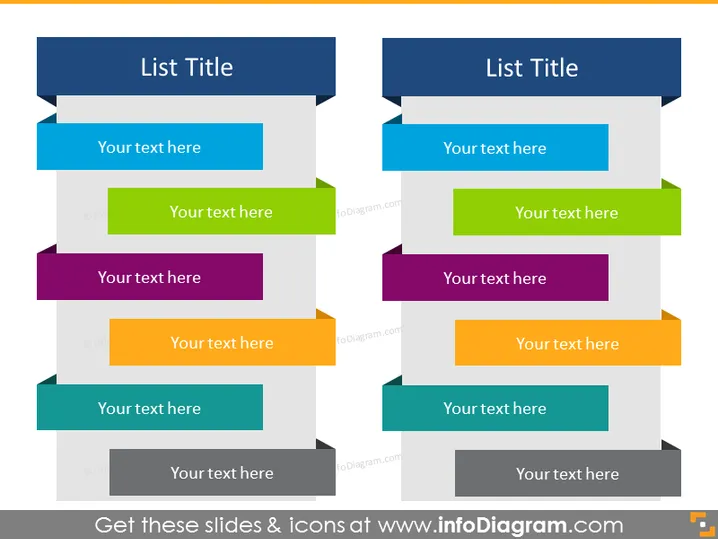
The PowerPoint slide titled "List Title" features two mirrored sections, each with a central heading and an array of colored rectangular bars, suggesting an organized bullet-point structure for presenting parallel processes, comparisons, or related ideas. Each color-coded bar includes a placeholder text "Your text here," designed for customization to articulate specific items of discussion. This setup supports clarity in presentations where similar categories or steps need to be addressed side-by-side.
Graphical Look
- Two large, bold headers positioned at the top of each section with a dark background and white text.
- A series of multicolored rectangular shapes arranged vertically, alternating in orientation, with a lighter color text box for input.
- Directional arrows connect the headers to the corresponding rectangular shapes, forming a visual pathway.
- Each rectangular shape is associated with a contrasting smaller rectangle and an arrowhead, implying a sense of flow or progression.
- The color scheme varies from blues and greens to purples and oranges, providing visual distinction between different items in the list.
- Overall, the slide uses a flat design aesthetic, with no gradients or shadows, for a modern and clean appearance.
The slide is visually balanced with its symmetrical arrangement of elements, creating a paired comparison layout. The color-coding and directional cues guide the viewer's attention through each list point methodically.
Use Cases
- Presenting two sets of related points, such as advantages and disadvantages, or a before-and-after scenario.
- Comparing two different strategies, products, or plans based on various criteria.
- Showcasing parallel workstreams in project management, with each color representing a specific phase or activity.
- Demonstrating steps in two concurrent processes in training or educational materials, where learners can compare pathways.
How to Edit
How to edit text & colors

How to expand / shorten diagram

How to Replace Icons in infoDiagram PPT


