

Your graphics add a nice touch to my presentations and I recently used them for one of my all-hands meetings. Your toolbox adds professionalism to my slides. Instead of using standard clipart.
Claude Jones, Director of Engineer, @Walmartlabs, USA

Your graphics add a nice touch to my presentations and I recently used them for one of my all-hands meetings. Your toolbox adds professionalism to my slides. Instead of using standard clipart.
Claude Jones, Director of Engineer, @Walmartlabs, USA
I needed a fresh look at some of my slides. I've tried to find a way to create a paintbrush effect, to underline, accentuate, add some color and the handwritten markers were just the things. Very easy to use, easy to size, change the color. It was an affordable, perfect solution and I'm happy to recommend it.
Anonymous, US
The crisp, clean look of the graphics, and the fact that it allowed me to easily edit and change the colors to match the template was my main reason for purchasing them.
Brandie Jenkins, E-learning Developer, USA
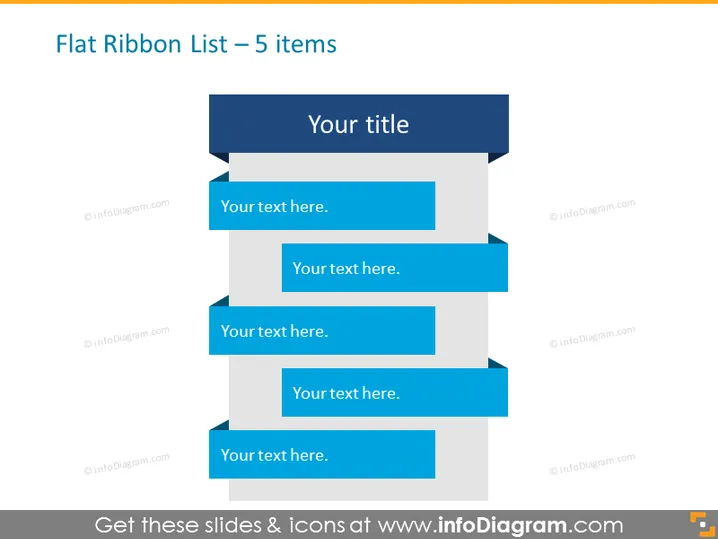
The PowerPoint slide titled "Flat Ribbon List – 5 items" uses a simple and visually appealing design to present a list. This format is suitable for conveying a sequence, workflow, or hierarchical information. The slide contains five blue ribbon-shaped banners, each staggered and connected by a thin line to create a sense of progression. Each ribbon provides space for text insertion, enabling the presenter to add descriptions or titles for each item, converting the abstract visual into specific points of discussion.
The slide features a clean and professional design with a simple color palette focused on shades of blue, which creates a coherent visual hierarchy. The use of ribbons and lines suggests connectivity and progression among listed items.



