
Reviews
Your graphics add a nice touch to my presentations and I recently used them for one of my all-hands meetings. Your toolbox adds professionalism to my slides. Instead of using standard clipart.
I needed a fresh look at some of my slides. I've tried to find a way to create a paintbrush effect, to underline, accentuate, add some color and the handwritten markers were just the things. Very easy to use, easy to size, change the color. It was an affordable, perfect solution and I'm happy to recommend it.
The crisp, clean look of the graphics, and the fact that it allowed me to easily edit and change the colors to match the template was my main reason for purchasing them.
Description
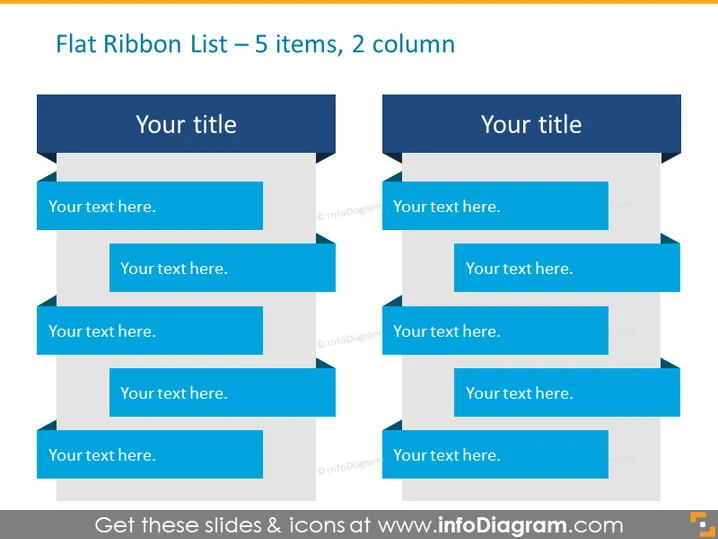
Flat Ribbon List – 5 items, 2 column
Slide Content
The slide presents a "Flat Ribbon List" format with two columns. Each column contains five elements to fill in with text, indicating a structure suitable for comparing lists, categorizing information, or clearly distinguishing between two groups of ideas. Each "ribbon" can represent a step in a process, a feature in a product comparison, an item in a set of categories, or an idea in a brainstorming session.
Graphical Look
- Two main columns separated by a gap in the middle
- Each column has five horizontal ribbon-like shapes with a folded effect on the left side
- The ribbons alternate between a dark and a lighter shade of blue, enhancing readability
- Each ribbon has a placeholder text "Your text here." aligned to the left
- The top ribbon in both columns serves as a title section with the text "Your title" in a darker blue than the other ribbons
- There are no additional icons, images, or graphics, aside from the placeholder text
The slide has a clean and modern appearance with a professional blue color scheme. The alternating ribbon shades and three-dimensional effect contribute to the aesthetic and functional aspects of the design.
Use Cases
- To compare and contrast features of two different products or services.
- To list advantages and disadvantages side by side in a business proposal or analysis.
- To present two sets of data or ideas in a parallel format during meetings or presentations.
- To organize and display steps or items in two categories within training materials or educational workshops.
How to Edit
How to edit text & colors

How to expand / shorten diagram

How to Replace Icons in infoDiagram PPT


