
Reviews
Your graphics add a nice touch to my presentations and I recently used them for one of my all-hands meetings. Your toolbox adds professionalism to my slides. Instead of using standard clipart.
I needed a fresh look at some of my slides. I've tried to find a way to create a paintbrush effect, to underline, accentuate, add some color and the handwritten markers were just the things. Very easy to use, easy to size, change the color. It was an affordable, perfect solution and I'm happy to recommend it.
The crisp, clean look of the graphics, and the fact that it allowed me to easily edit and change the colors to match the template was my main reason for purchasing them.
Description
4 Pieces Jigsaw Puzzle Square Diagram, Long Text Layout
Slide Content
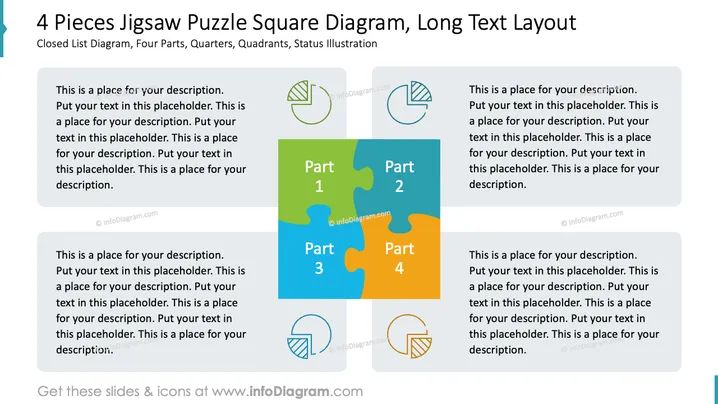
The PowerPoint slide presents a "4 Pieces Jigsaw Puzzle Square Diagram," which is designed to depict four interconnected parts, components or phases. Each jigsaw piece is labeled Part 1 to Part 4, suggesting a sequence or a division of a whole into quarters, while adjacent text placeholders provide ample space for detailed descriptions to explain how these parts relate, their individual attributes, or sequential steps in a process.
Graphical Look
- The central graphic is composed of four interlocking jigsaw puzzle pieces, each in a different color—green, blue, light blue, and orange—representing separate but connected elements.
- Each puzzle piece is associated with a text box placed outside of the jigsaw graphic, where detailed descriptions can be added.
- The upper half of the slide features semi-transparent circular icons above the text boxes, two of which resemble graphs, indicating that the pieces could represent data components.
- The icons match the color theme of their corresponding jigsaw piece, strengthening the visual connection between the text and the puzzle segment.
- The overall color scheme of the slide is bright and colorful, with a clear and strong contrast between the colors of the puzzle pieces.
The slide has a clean and professional look with ample whitespace that ensures clarity and focus on the content. The jigsaw pieces provide an immediate visual metaphor for interconnectivity and completeness.
Use Cases
- Outlining the components of a complex business strategy or proposal where each part plays a critical role in the complete picture.
- Explaining the stages of a project development process, from conception to completion, where each phase is critical and interconnected.
- Illustrating the structure of an organization, with each department or team as a piece of the puzzle that contributes to the overall mission.
- Demonstrating the elements of a marketing mix or product features, where customers see how different parts come together to satisfy their needs.
How to Edit
How to edit text & colors

How to expand / shorten diagram

How to Replace Icons in infoDiagram PPT


