
Reviews
Your graphics add a nice touch to my presentations and I recently used them for one of my all-hands meetings. Your toolbox adds professionalism to my slides. Instead of using standard clipart.
I needed a fresh look at some of my slides. I've tried to find a way to create a paintbrush effect, to underline, accentuate, add some color and the handwritten markers were just the things. Very easy to use, easy to size, change the color. It was an affordable, perfect solution and I'm happy to recommend it.
The crisp, clean look of the graphics, and the fact that it allowed me to easily edit and change the colors to match the template was my main reason for purchasing them.
Description
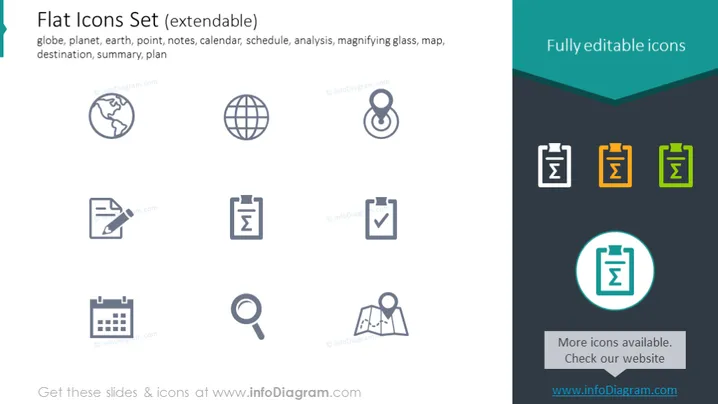
Flat Icons Set (extendable)
Slide Content
The slide presents a collection of flat icons with a title suggesting they are part of an extendable set. The icons include a globe, representing the planet or earth, which could signify international scope. There's a point icon likely for location marking, and a notes icon, possibly for documentation or recording information. A calendar icon indicates scheduling or date reference, and a magnifying glass for analysis or search functions. A map represents navigation or geographic data, while a destination marker could be for itinerary or end goals. A summary is often used to denote conclusions or overviews, accompanied by a plan icon for strategic or process planning. These icons are described as fully editable.
Graphical Look
- The slide background is white which makes the colorful icons stand out.
- Each icon is placed within a light grey circle.
- There are 9 icons distributed evenly across the slide; three rows of three.
- The icons are minimalistic and use simple lines for illustration.
- Each icon follows a distinct color scheme: the majority are grey, with one highlighted in yellow and another in teal.
- Two text boxes, one on the top right and the other on the bottom right, contain promotional messages, each with a differently shaded background.
- The top banner with the text 'Fully editable icons' has a folded paper visual effect with a gradient of dark and light teal colors.
The overall look of the slide is modern and clean, using a minimalistic design with a flat aesthetic. The use of color highlights is strategic, emphasizing particular icons and text boxes while maintaining a professional appearance.
Use Cases
- Presenting the various features or functionalities of a software or app during a business meeting or tech conference.
- Using the icons within presentation slides for visual aid in a variety of corporate scenarios, such as project planning, marketing strategies, or progress tracking.
- Customizing company reports or proposals with icons to emphasize particular sections for better readability and engagement.
- Incorporating into training materials to visually represent different topics, making the content more accessible and memorable for employees or trainees.
How to Edit
How to edit text & colors

How to expand / shorten diagram

How to Replace Icons in infoDiagram PPT


