
Reviews
Sus gráficos añaden un toque agradable a mis presentaciones y recientemente los usé para una de mis reuniones generales. Su conjunto de herramientas añade profesionalismo a mis diapositivas. En lugar de usar imágenes prediseñadas estándar.
Necesitaba un aspecto fresco para algunas de mis diapositivas. Había intentado encontrar una forma de crear un efecto de pincel, de subrayar, acentuar, añadir algo de color y los marcadores escritos a mano fueron justo lo que necesitaba. Muy fácil de usar, fácil de ajustar el tamaño, cambiar el color. Fue una solución asequible y perfecta, y estoy feliz de recomendarla.
El aspecto nítido y limpio de los gráficos, y el hecho de que me permitiera editar y cambiar fácilmente los colores para que coincidieran con la plantilla fue mi principal razón para comprarlos.
Description
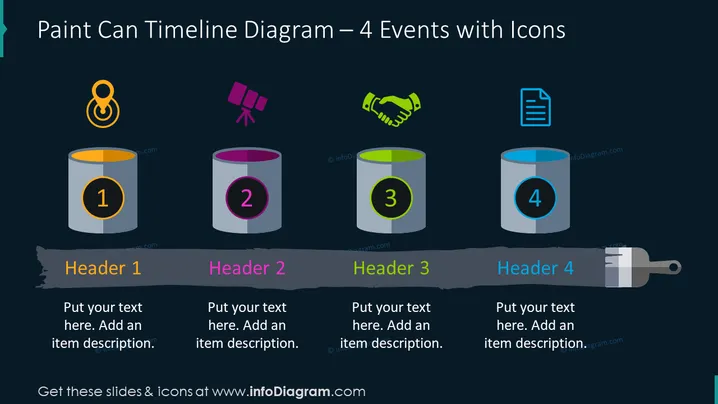
Paint Can Timeline for Four Events PPT Template slide content
The Paint Can Timeline for Four Events PPT Template can be used to effectively communicate a sequence of events or milestones clearly and engagingly. For example, if you're presenting a project timeline, this PPT slide can help to break down the timeline into manageable chunks and make it easier for your audience to understand. By using icons and colors to represent each stage of the project, you can create a timeline that is visually appealing and easy to follow. All shapes are vectors, so you can change the colors and resize the elements according to your preference without losing quality. Check out the editing instructions in the How to Edit section. You can download this PPT template on Google Slides and Keynote.
Paint Can Timeline for Four Events PPT Template slide infographics
Dark Background, Text Box, Colorful Paint Can Graphics, Goal Icon, Destination Icon, Telescope Icon, Handshake Icon, Agreement Icon, Document Icon
How to Edit
How to edit text & colors

How to expand / shorten diagram

How to Replace Icons in infoDiagram PPT


