
Reviews
Sus gráficos añaden un toque agradable a mis presentaciones y recientemente los usé para una de mis reuniones generales. Su conjunto de herramientas añade profesionalismo a mis diapositivas. En lugar de usar imágenes prediseñadas estándar.
Necesitaba un aspecto fresco para algunas de mis diapositivas. Había intentado encontrar una forma de crear un efecto de pincel, de subrayar, acentuar, añadir algo de color y los marcadores escritos a mano fueron justo lo que necesitaba. Muy fácil de usar, fácil de ajustar el tamaño, cambiar el color. Fue una solución asequible y perfecta, y estoy feliz de recomendarla.
El aspecto nítido y limpio de los gráficos, y el hecho de que me permitiera editar y cambiar fácilmente los colores para que coincidieran con la plantilla fue mi principal razón para comprarlos.
Description
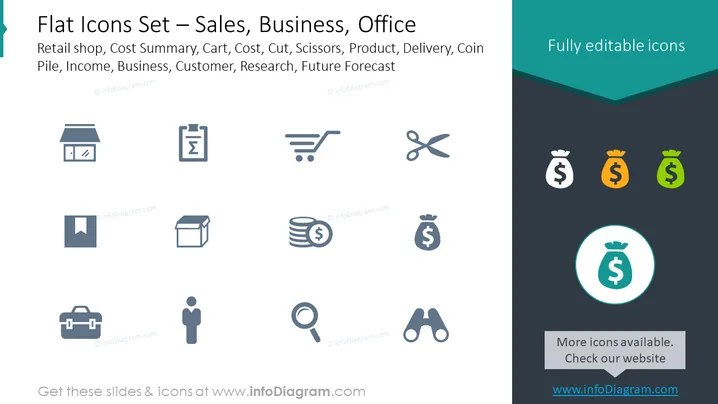
Flat Icons Set – Sales, Business, Office
Slide Content
The PowerPoint slide titled "Flat Icons Set – Sales, Business, Office" showcases a collection of icons related to business activities and sales contexts. The icons represent various concepts including a retail shop, cost summary, shopping cart, cost-cutting scissors, products, delivery services, coin stack for income or revenue, a business case, customer representation, research (magnifying glass), and future forecasting (binoculars). Each icon is a visual metaphor for the respective business or sales concept, aiding in quick comprehension of the associated idea.
Graphical Look
- The slide has a clear, minimalist design, utilizing a monochromatic color scheme with contrasting shades of dark teal, gray, and white.
- There are nine icon representations in a three-by-three grid format, with each icon centered within its own space.
- Icons include a storefront, a checklist, a shopping cart, scissors, an open box, a stack of coins, a briefcase, a humanoid figure, and a magnifying glass.
- The top right of the slide includes a section with a dark teal background, stating "Fully editable icons" in white.
- To the right, there are icons in a row with a gradual change in color from gray to green, emphasizing the editability of icons.
- A highlighted circular icon at the bottom stands out due to its teal circular background and white outline.
- Text on the slide provides context, noting that additional icons are available and directs viewers to a website for more.
The overall look of the slide is modern and professional, with a focus on clean lines and a structured layout that makes it visually appealing and easy to interpret.
Use Cases
- This slide could be utilized in a business presentation to introduce different aspects of a retail or sales strategy.
- It can serve as a visual agenda for a marketing or business development meeting, where each icon represents a topic for discussion.
- The icons are useful for illustrating various sales or business processes in training material or informational brochures.
- They might also be incorporated into a pitch deck to visually represent services, benefits, or features offered by a company or product.
How to Edit
How to edit text & colors

How to expand / shorten diagram

How to Replace Icons in infoDiagram PPT


