
Reviews
Sus gráficos añaden un toque agradable a mis presentaciones y recientemente los usé para una de mis reuniones generales. Su conjunto de herramientas añade profesionalismo a mis diapositivas. En lugar de usar imágenes prediseñadas estándar.
Necesitaba un aspecto fresco para algunas de mis diapositivas. Había intentado encontrar una forma de crear un efecto de pincel, de subrayar, acentuar, añadir algo de color y los marcadores escritos a mano fueron justo lo que necesitaba. Muy fácil de usar, fácil de ajustar el tamaño, cambiar el color. Fue una solución asequible y perfecta, y estoy feliz de recomendarla.
El aspecto nítido y limpio de los gráficos, y el hecho de que me permitiera editar y cambiar fácilmente los colores para que coincidieran con la plantilla fue mi principal razón para comprarlos.
Description
Flat Icons Set 2
Slide Content
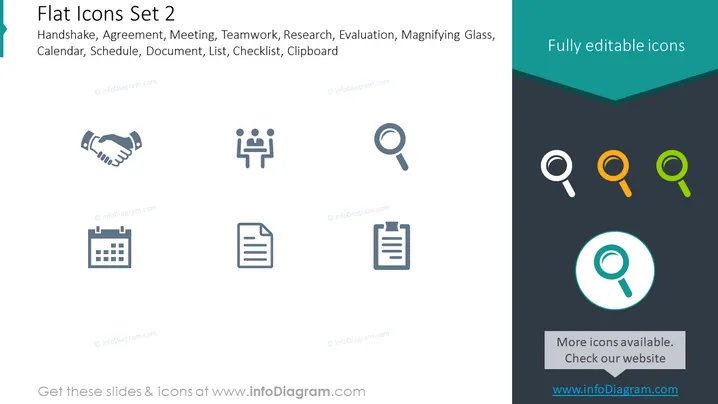
The PowerPoint slide is titled "Flat Icons Set 2" and presents a collection of eight professional icons representing different business concepts such as Handshake (signifying agreement or deal-making), Meeting (team or group discussions), Teamwork (collaborative efforts), Research (investigation or analysis), Evaluation (assessment or review process), Magnifying Glass (search or scrutiny), Calendar (scheduling or time management), Schedule (planning or agenda), Document (paperwork or information), List (organisation or enumeration), Checklist (task verification or completion), and Clipboard (record keeping or support for documentation). These icons are described as fully editable.
Graphical Look
- The slide has a minimalistic design with a clean, dark teal background.
- A lighter teal banner runs along the top right, containing the text "Fully editable icons."
- Each icon is monochromatic and appears in a uniform gray color, except for the repeated Magnifying Glass icons which are rendered in multiple colors at the bottom right.
- The icons are arranged in a grid formation comprising two rows.
- Icons are simplified and flat in design, with no gradients or 3D effects.
- A circular spotlight effect in light teal is behind the centrally featured Magnifying Glass icon at the bottom.
- Text descriptors for each icon are not present on the slide, the title at the top serves as a collective descriptor.
- The overall visual composition employs a symmetrical layout accentuating balance and organization.
The slide's aesthetic is modern and professional, using color to highlight the availability of different icon options. It has a structured layout that emphasizes clarity and the ease of identifying each symbol's intended meaning.
Use Cases
- To visually represent different business processes or tasks during corporate presentations.
- For enhancing the visual appeal of instructional materials or training guides.
- To depict various functions or features when introducing software or applications.
- In marketing materials to symbolically communicate services or benefits offered by a company .
How to Edit
How to edit text & colors

How to expand / shorten diagram

How to Replace Icons in infoDiagram PPT


