
Reviews
Sus gráficos añaden un toque agradable a mis presentaciones y recientemente los usé para una de mis reuniones generales. Su conjunto de herramientas añade profesionalismo a mis diapositivas. En lugar de usar imágenes prediseñadas estándar.
Necesitaba un aspecto fresco para algunas de mis diapositivas. Había intentado encontrar una forma de crear un efecto de pincel, de subrayar, acentuar, añadir algo de color y los marcadores escritos a mano fueron justo lo que necesitaba. Muy fácil de usar, fácil de ajustar el tamaño, cambiar el color. Fue una solución asequible y perfecta, y estoy feliz de recomendarla.
El aspecto nítido y limpio de los gráficos, y el hecho de que me permitiera editar y cambiar fácilmente los colores para que coincidieran con la plantilla fue mi principal razón para comprarlos.
Description
Flat Icons Set 1
Slide Content
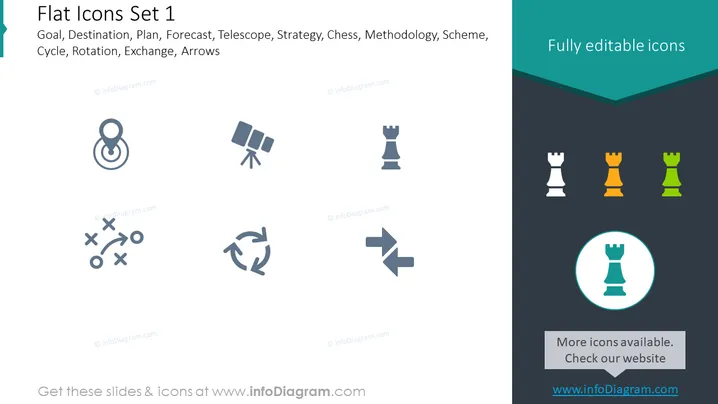
The slide titled "Flat Icons Set 1" displays a variety of icons that represent different business concepts. The "Goal" icon resembles a target, conveying the idea of aiming for objectives. The "Destination" suggests a place of arrival or intended target. "Plan" typically involves a detailed proposal for achieving something. "Forecast" points to predictions, often related to weather or economics. The "Telescope" icon might symbolize exploration or looking ahead. "Strategy" signifies a high-level plan to achieve one or more goals under conditions of uncertainty. The "Chess" piece demonstrates strategic thinking, competition, or decision-making. "Methodology" implies a systematic way of understanding methods. "Scheme" typically refers to a large-scale systematic plan or arrangement. Lastly, "Cycle," "Rotation," "Exchange," and "Arrows" hint at continuous movements, change, and interactions.
Graphical Look
- The slide has a clean, modern design with a teal header and footer, against a white background.
- There are nine icons in a three-by-three grid format.
- Each icon is simple, with minimal detailing, and is depicted in shades of gray.
- The icons are accompanied by small text labels above the header, indicating the business concept each illustrates.
- The top right corner of the slide reads "Fully editable icons" in a dark, contrasting font against the teal background.
- A highlighted circle emphasizing one of the chess piece icons resting on a teal footer background creates a focal point on the slide.
The overall look of the slide is professional and polished, utilizing a consistent color theme and straightforward iconography to convey multiple business concepts visually.
Use Cases
- Incorporating visual aids into business strategy presentations to quickly communicate concepts.
- Enhancing training materials with icons that symbolize different stages of a process or methodology.
- Creating marketing materials that are visually engaging, leveraging icons to represent services or benefits.
- Developing user guides or instruction manuals, using icons to signify various actions or features for ease of understanding.
How to Edit
How to edit text & colors

How to expand / shorten diagram

How to Replace Icons in infoDiagram PPT


