
Reviews
Deine Folien sind meine 'geheime Zutat', wenn es darum geht, meine Ideen Kunden zu visualisieren. Ich spare so viel Zeit.
Ihre Folien führen oft zu guten Kommentaren und Ideen meines Teams, die die endgültigen Folien verbessern.
Description
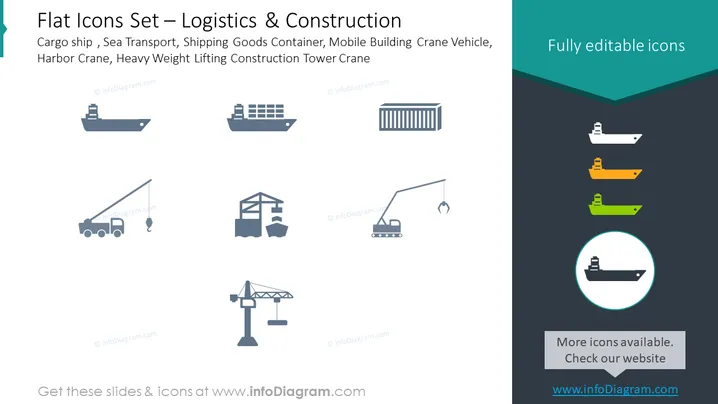
Flat Icons Set – Logistics & Construction
Slide Content
The slide is titled "Flat Icons Set – Logistics & Construction" and presents a collection of stylized icons representing various logistics and construction elements. These include a cargo ship, a sea transport vessel, a container, a mobile crane vehicle, and a heavy-weight lifting construction tower crane. Each icon serves as a visual representation of key components in the sectors of maritime transport, goods storage, and construction machinery.
Graphical Look
- The background is split diagonally with the top portion in white and the bottom in dark teal.
- The title of the slide is in a large, bold font, situated at the top-left corner.
- Six gray-scale icons are evenly spaced across the top half of the slide, each depicting different logistics and construction equipment.
- In the divided bottom dark teal portion, there are three colored versions of the first three icons from the top, illuminated in orange, green, and blue hues.
- A circular highlight with a thick border showcases the cargo ship icon in blue against the teal background on the bottom right.
The slide adopts a clean, modern design with a simple color palette that focuses attention on the icons. The contrast in the bottom section effectively highlights the possibility of customizing the icon colors.
Use Cases
- Presenting the various assets and equipment involved in logistics and construction during industry conferences.
- Illustrating service capabilities in sales presentations for companies offering logistics or construction services.
- Providing visual aids in educational materials or training sessions for logistics and construction management.
- Enhancing reports and proposals with visual elements to depict fleet composition or construction equipment inventory.
How to Edit
How to edit text & colors

How to expand / shorten diagram

How to Replace Icons in infoDiagram PPT


